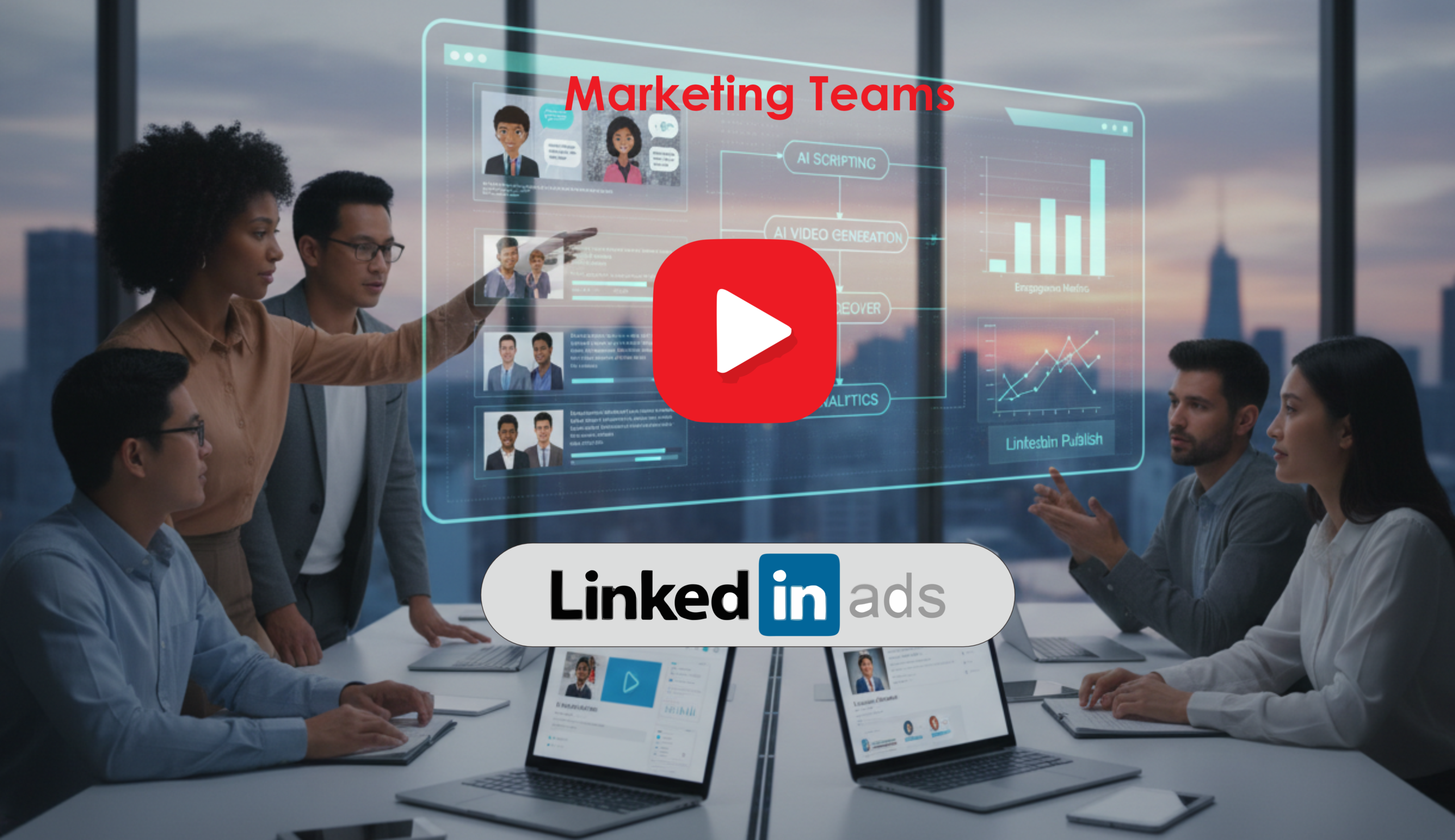
Learn how teams use linkedin video ai workflows to create scalable B2B video campaigns faster with AI automation and smart content production.
Introduction
Creating professional LinkedIn video campaigns used to require large creative teams, expensive production workflows, and weeks of editing. Today, AI-powered video workflows are changing how marketing teams, startups, HR departments, and enterprise brands produce content for B2B audiences.
Modern businesses now use linkedin video ai systems to streamline scripting, voice generation, avatar creation, editing, branding, and distribution — all without traditional production bottlenecks.
For companies running demand generation campaigns, employer branding initiatives, SaaS promotions, recruitment marketing, or thought leadership content, AI dramatically reduces production time while increasing content consistency across teams.
This guide explains how marketing teams build a complete ai marketing campaign workflow for LinkedIn using AI-powered tools and automation. You’ll learn how to create scalable corporate videos, optimize distribution, improve production efficiency, and build a repeatable AI video workflow that supports modern B2B growth strategies.
Quick Summary
- AI tools simplify LinkedIn video production for businesses
- Teams can automate scripting, voiceovers, editing, subtitles, and branding
- AI reduces production costs and turnaround time
- LinkedIn favors native video content for engagement
- AI workflows help marketing teams scale B2B campaigns faster
- Human review remains essential for brand consistency and messaging
- Businesses can build a repeatable script → video pipeline using AI
Table of Contents
- Why LinkedIn Video Matters for B2B Marketing
- What Is a LinkedIn Video AI Workflow?
- What You’ll Learn
- Tool Overview
- Step-by-Step Tutorial
- How Businesses Use This Tool
- Best Practices
- Common Mistakes
- Alternative Tools
- FAQ
- Key Takeaways
- Related Guides
Why LinkedIn Video Matters for B2B Marketing
LinkedIn has evolved far beyond a professional networking platform. It is now one of the most important B2B content ecosystems for:
- SaaS companies
- HR brands
- enterprise organizations
- startups
- consulting firms
- recruitment agencies
- technology vendors
Short-form professional videos consistently outperform static content in engagement, watch time, and lead generation.
Businesses increasingly use:
- AI business video systems
- corporate branding videos
- AI-generated explainers
- executive thought leadership clips
- recruitment campaigns
- customer education videos
The challenge is scale.
Traditional production workflows often create:
- slow approval cycles
- expensive revisions
- inconsistent branding
- creative bottlenecks
- limited campaign output
This is where an ai social media workflow becomes valuable.
What You’ll Learn
By the end of this guide, you’ll understand:
- How to plan LinkedIn AI video campaigns
- How to build a script → video pipeline
- Which AI tools businesses use most
- How to automate editing and branding
- How to optimize LinkedIn videos for engagement
- How marketing teams scale video production
- How to avoid common AI workflow mistakes
- How enterprise teams structure AI content operations
Tool Overview
Several AI tools can support LinkedIn video campaign creation. Most teams combine multiple platforms into one workflow.
Popular tools include:
- HeyGen
- Synthesia
- Pictory AI
- Runway
- Descript
- Canva
Key Features Businesses Use
- AI avatar presenters
- AI voice generation
- automatic captions
- script-to-video generation
- branding templates
- collaborative editing
- AI-powered clipping
- multilingual localization
- automated resizing for social platforms
Why Businesses Use These Tools
Companies use these tools because they:
- reduce production costs
- accelerate campaign creation
- improve consistency
- enable rapid experimentation
- scale content operations
- simplify localization
Ideal Use Cases
- LinkedIn ad campaigns
- recruitment videos
- product demos
- executive messaging
- onboarding videos
- webinar repurposing
- thought leadership content
- internal communications
Official Website
- HeyGen Official Website
- Synthesia Official Website
- Runway Official Website
Official Documentation
- HeyGen Documentation
- Synthesia Help Center
- Runway Learn Center
Step-by-Step Tutorial
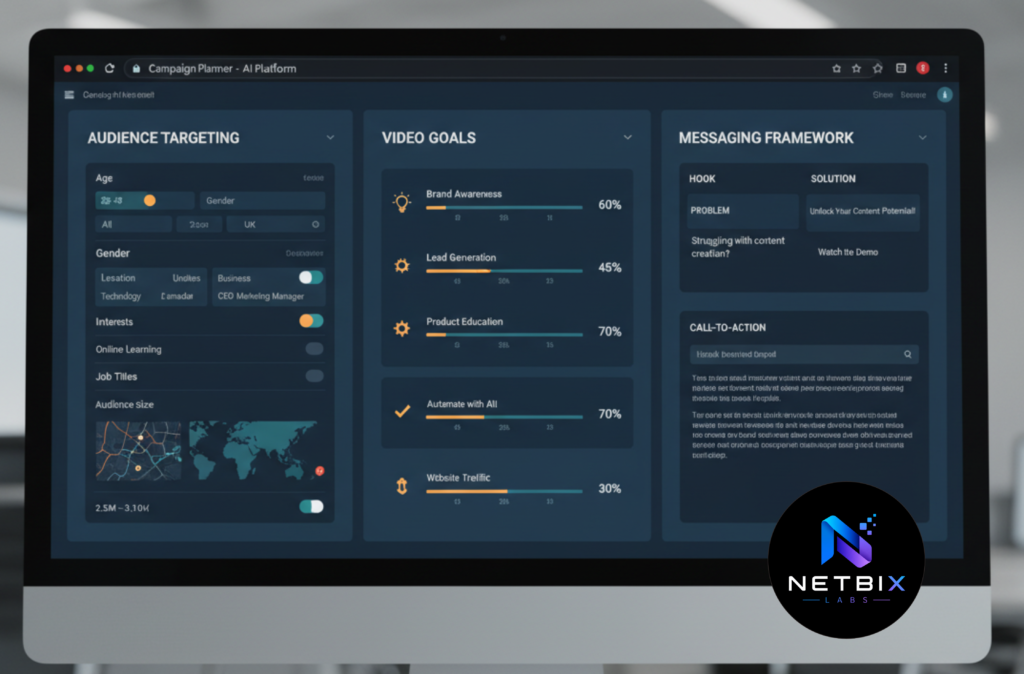
Step 1: Define the LinkedIn Campaign Goal
Why This Matters
AI tools work best when the campaign objective is clearly defined. Without strategic direction, even high-quality AI videos may fail to drive business outcomes.
What to Do
Determine:
- target audience
- campaign KPI
- funnel stage
- content format
- CTA
Examples:
- Lead generation
- Employer branding
- Webinar promotion
- Product awareness
- Executive visibility
Also define:
- video length
- tone
- branding requirements
- audience pain points
Expected Result
A focused campaign structure that guides the entire AI video workflow.
Step 2: Generate the Script Using AI
Why This Matters
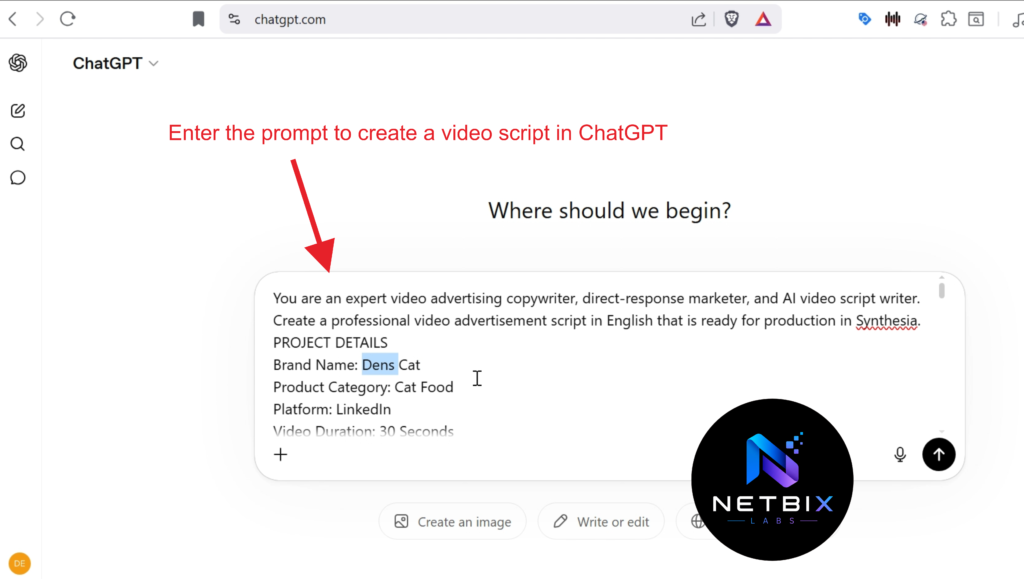
The script determines retention, clarity, and conversion performance. AI accelerates ideation while maintaining consistency.
What to Do
Use AI writing tools to generate:
- opening hooks
- LinkedIn ad scripts
- explainer narration
- executive talking points
- CTA sequences
Best practices:
- keep videos concise
- use short sentences
- focus on one business problem
- include a strong opening within 3 seconds
Example prompts:
- “Create a 60-second LinkedIn ad for HR automation software.”
- “Write a B2B SaaS product teaser for enterprise buyers.”
Expected Result
A structured video script optimized for LinkedIn engagement.
Step 3: Convert the Script Into an AI Video
Why This Matters
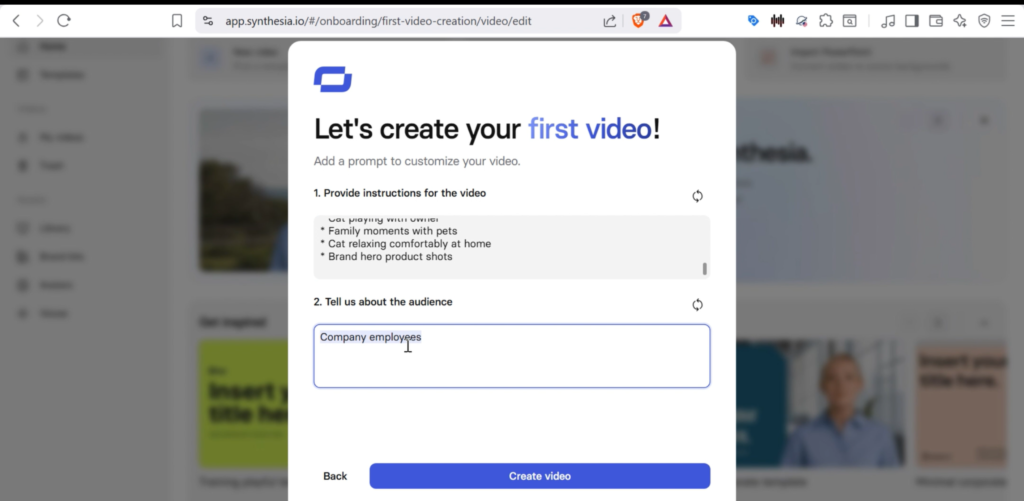
This is where the script → video pipeline becomes operational. AI tools transform text into production-ready business videos.
What to Do
Upload the script into tools like:
Then configure:
- AI avatar
- voice style
- pacing
- brand colors
- logo placement
- subtitles
Choose presentation formats such as:
- talking-head avatar
- animated explainer
- screen recording hybrid
- product showcase
Expected Result
A polished AI-generated corporate video ready for editing.
Step 4: Add Branding and Visual Identity
Why This Matters
Consistent branding improves recognition and trust across LinkedIn campaigns.
What to Do
Add:
- company logo
- brand fonts
- CTA overlays
- lower thirds
- intro/outro sequences
- custom colors
Marketing teams often build reusable templates for:
- recruitment videos
- webinar clips
- customer testimonials
- product launches
Expected Result
A consistent and professional B2B video marketing experience.
Step 5: Optimize for LinkedIn Distribution
Why This Matters
LinkedIn has different engagement behavior compared to YouTube or TikTok. Optimization improves visibility and watch time.
What to Do
Optimize:
- video aspect ratio
- subtitles
- first-frame hook
- CTA placement
- headline copy
Recommended formats:
- 1:1 square
- vertical mobile-friendly
- caption-first design
LinkedIn-specific best practices:
- keep videos under 90 seconds
- include subtitles
- front-load value
- use strong professional hooks
Expected Result
A LinkedIn-optimized video designed for professional audiences.
Step 6: Review and Human Approval
Why This Matters
AI accelerates production, but human oversight protects brand reputation.
What to Do
Review:
- factual accuracy
- pronunciation
- tone consistency
- compliance requirements
- visual alignment
- CTA clarity
Enterprise teams often create approval workflows involving:
- legal teams
- HR
- marketing leadership
- brand managers
Expected Result
A high-quality final asset aligned with company standards.
Step 7: Publish and Analyze Performance
Why This Matters
Performance data helps teams refine future campaigns and improve ROI.
What to Do
Track:
- watch time
- click-through rate
- engagement rate
- lead quality
- conversion metrics
- retention drop-off
Use insights to improve:
- scripting
- pacing
- thumbnails
- CTA positioning
- audience targeting
Expected Result
A repeatable AI marketing campaign process driven by measurable performance data.
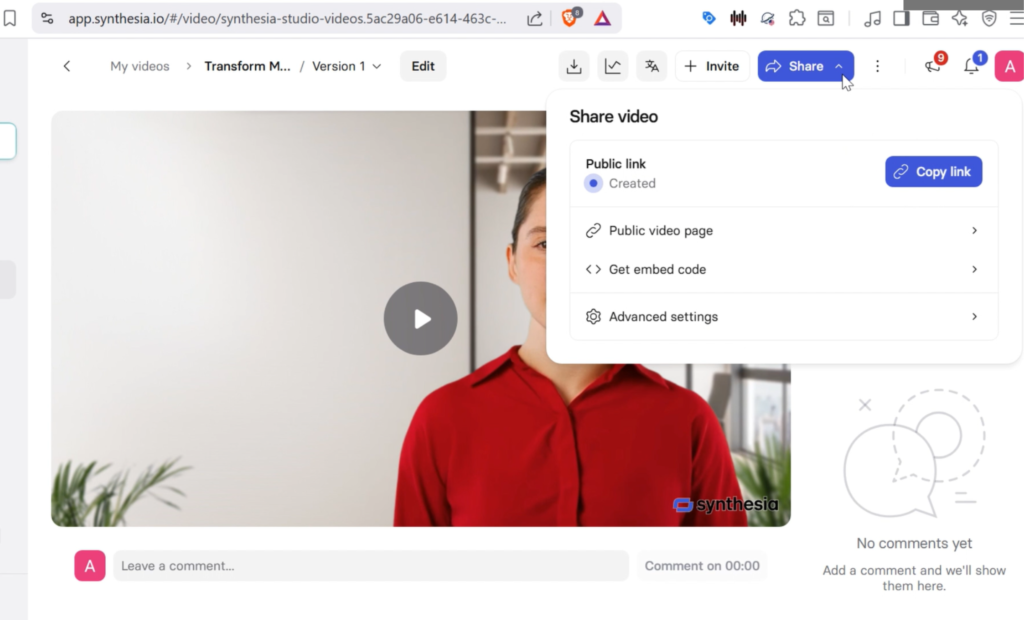
Tutorial Video
This short video tutorial demonstrates the practical steps for creating a professional promotional video designed specifically for LinkedIn. From crafting the right marketing message and selecting relevant visuals to organizing the video flow, it captures the attention of a professional audience within the first few seconds.
By following this guide, you can create more engaging promotional videos, increase engagement, strengthen brand awareness, and effectively convey the value of your product or service to your target LinkedIn audience. Suitable for businesses, marketers, startups, and professionals looking to maximize their video marketing strategy.
How Businesses Use This Tool
Startups
Startups use AI business video systems to:
- launch products quickly
- create investor updates
- build brand awareness
- scale content with small teams
Agencies
Marketing agencies use AI workflows to:
- accelerate client delivery
- manage multiple campaigns
- reduce editing overhead
- improve scalability
Marketing Teams
Internal marketing departments use:
- AI video workflow automation
- campaign repurposing
- multilingual video localization
- executive content creation
HR Teams
HR departments use:
- recruitment campaigns
- onboarding videos
- employer branding content
- internal communication assets
Operations Teams
Operations groups create:
- SOP explainers
- training videos
- process documentation
- compliance tutorials
Creators
Professional creators use AI to:
- scale publishing
- repurpose webinars
- automate clipping
- improve consistency
Enterprise Workflows
Large enterprises integrate AI video systems with:
- CRM platforms
- marketing automation tools
- DAM systems
- analytics dashboards
- approval workflows
Best Practices
Build Reusable Templates
Create reusable:
- intros
- branding systems
- CTA layouts
- subtitle formats
Prioritize Audio Quality
Poor audio reduces trust quickly. Use:
- realistic AI voices
- noise cleanup
- professional pacing
Keep Messaging Focused
Avoid overcrowding videos with too many ideas.
Each LinkedIn video should focus on:
- one problem
- one audience
- one CTA
Use Human Review
AI should assist production — not fully replace strategic oversight.
Repurpose Long-Form Content
Convert:
- webinars
- podcasts
- presentations
- blog posts
- interviews
into short LinkedIn clips.
Common Mistakes
Overusing AI Avatars
Some brands rely too heavily on synthetic presenters without human personalization.
Solution:
Mix AI with real team footage and authentic messaging.
Ignoring Brand Consistency
Inconsistent fonts, tones, and visuals reduce professionalism.
Solution:
Create centralized brand templates.
Publishing Videos Without Subtitles
Many LinkedIn users watch videos muted.
Solution:
Always include captions.
Using Generic Scripts
AI-generated scripts can sound repetitive if not refined.
Solution:
Edit scripts manually before production.
Focusing Only on Automation
Automation alone does not guarantee engagement.
Solution:
Prioritize audience value and storytelling.
Alternatives Section
Synthesia
What It Does
Creates AI avatar business videos from scripts.
When It’s Better
Better for:
- enterprise onboarding
- multilingual localization
- training content
Who Should Use It
- enterprise HR teams
- corporate training departments
- global organizations
Runway
What It Does
Advanced AI video editing and generative video creation.
When It’s Better
Better for:
- creative production
- cinematic marketing videos
- advanced visual effects
Who Should Use It
- creative agencies
- production teams
- advanced marketers
Pictory AI
What It Does
Transforms long-form content into short videos.
When It’s Better
Ideal for:
- webinar repurposing
- podcast clipping
- blog-to-video workflows
Who Should Use It
- content marketers
- creators
- social media teams
Descript
What It Does
AI-powered audio and video editing platform.
When It’s Better
Excellent for:
- podcast editing
- transcript-based workflows
- collaborative editing
Who Should Use It
- media teams
- podcasters
- content studios
FAQ
What is linkedin video ai?
LinkedIn video AI refers to AI-powered tools and workflows used to create, edit, optimize, and distribute LinkedIn video content for business marketing.
Can AI create professional B2B videos?
Yes. Modern AI tools can generate professional-looking business videos using scripts, AI voices, avatars, subtitles, and branding systems.
What is the best AI video workflow for LinkedIn?
Most teams use a combination of:
- AI scripting
- AI video generation
- human editing
- branding review
- LinkedIn optimization
Are AI-generated LinkedIn videos effective?
They can be highly effective when combined with:
- strong messaging
- audience targeting
- professional branding
- human review
Which businesses benefit most from AI video campaigns?
- SaaS companies
- recruitment firms
- enterprise brands
- startups
- B2B agencies
- corporate HR teams
How long should LinkedIn AI videos be?
Most high-performing LinkedIn videos are:
- 30–90 seconds
- concise
- caption-first
- mobile-friendly
Do AI videos replace production teams?
No. AI improves production speed and scalability, but strategic direction and creative oversight remain essential.
Key Takeaways
- AI dramatically accelerates LinkedIn video production
- Businesses can build scalable AI social media workflows
- Human review remains critical for quality control
- LinkedIn favors concise professional video content
- AI tools reduce production bottlenecks for B2B teams
- Reusable templates improve consistency and efficiency
- Analytics help optimize future campaigns
Conclusion
The rise of linkedin video ai workflows is transforming how modern businesses create professional content at scale. What once required expensive production teams can now be executed through streamlined AI systems that combine scripting, branding, editing, automation, and distribution into one efficient process.
For marketing teams, startups, HR departments, and enterprise organizations, AI video workflows provide a scalable path to faster content creation, stronger brand consistency, and more agile B2B communication.
The companies that succeed with AI video are not simply automating production. They are building smarter systems that combine AI efficiency with human creativity, strategic messaging, and audience-focused storytelling.
As LinkedIn continues evolving into a video-first professional platform, businesses that invest early in scalable ai marketing campaign systems and intelligent b2b video marketing workflows will gain a significant competitive advantage.