Learn how to create professional marketing visuals with Leonardo AI. Step-by-step Leonardo AI tutorial for businesses, marketers, and startups.
Introduction
Creating high-quality marketing visuals has traditionally required a combination of graphic design expertise, expensive software, stock image subscriptions, and significant production time.
For many startups, marketing teams, HR departments, agencies, and business professionals, producing consistent visual content at scale remains a major challenge. Campaigns require banner ads, social media creatives, landing page graphics, presentation visuals, recruitment materials, product mockups, and branded content—all while maintaining quality and consistency.
This is where Leonardo AI becomes valuable.
As one of the leading AI-powered creative platforms, Leonardo AI enables organizations to generate professional-grade visuals in minutes rather than days. Whether you’re creating social media campaigns, digital advertisements, blog illustrations, branded graphics, or promotional assets, the platform can significantly accelerate production workflows.
In this Leonardo AI tutorial, you’ll learn how to use Leonardo AI for AI marketing design, create effective AI ad creatives, streamline AI graphic design workflows, and generate professional AI business images that support marketing and business goals.
By the end of this guide, you’ll understand how to build a practical AI-powered visual creation workflow that can be adopted by startups, agencies, corporate marketing departments, HR teams, and enterprise organizations.
Quick Summary
- Leonardo AI helps businesses generate professional marketing visuals using AI.
- No advanced design experience is required.
- Useful for social media graphics, ad creatives, blog images, presentations, and branded content.
- Supports custom styles and brand consistency.
- Can significantly reduce content production time.
- Ideal for startups, agencies, marketing teams, and enterprise organizations.
Table of Contents
- What You’ll Learn
- Leonardo AI Overview
- Why Businesses Use Leonardo AI
- Step-by-Step Leonardo AI Tutorial
- Creating AI Marketing Design Assets
- Workflow Optimization Tips
- How Businesses Use This Tool
- Best Practices
- Common Mistakes
- FAQ
- Alternatives
- Key Takeaways
- Related Guides
What You’ll Learn
After completing this guide, you’ll be able to:
- Create professional marketing visuals with Leonardo AI
- Write effective prompts for business imagery
- Generate high-converting AI ad creatives
- Produce branded visual assets consistently
- Improve AI graphic design workflows
- Create AI business images for multiple departments
- Optimize visual production for marketing campaigns
- Scale content creation efficiently
Tool Overview
What Is Leonardo AI?
Leonardo AI is an AI-powered image generation platform designed to help individuals and organizations create high-quality visual content using text prompts.
The platform combines advanced image generation technology with customization tools, making it suitable for professional marketing and commercial use cases.
Key Features
- AI image generation
- Custom model training
- Style consistency controls
- Prompt enhancement tools
- Image editing capabilities
- Upscaling features
- Commercial content creation
- Team-friendly workflows
Why Businesses Use Leonardo AI
Organizations increasingly adopt Leonardo AI because it can:
- Reduce creative production costs
- Accelerate campaign development
- Support rapid experimentation
- Create scalable visual assets
- Improve marketing agility
- Enable faster content production
Ideal Use Cases
- Digital advertising
- Social media marketing
- Landing page graphics
- Blog illustrations
- Recruitment campaigns
- Product marketing
- Corporate presentations
- Email marketing visuals
Official Website:
https://leonardo.ai/
Official Documentation:
https://docs.leonardo.ai/
Why Leonardo AI Matters for AI Marketing Design
Modern marketing teams require visual content across multiple channels:
- YouTube
- Email campaigns
- Websites
- Landing pages
- Sales presentations
Traditional design processes often become bottlenecks.
Leonardo AI allows teams to rapidly produce and test multiple creative variations, enabling more experimentation and faster campaign execution.
Step-by-Step Leonardo AI Tutorial
Step 1: Create Your Leonardo AI Account
Why This Matters
Before generating visual assets, you need access to the platform and available creative tools.
What to Do
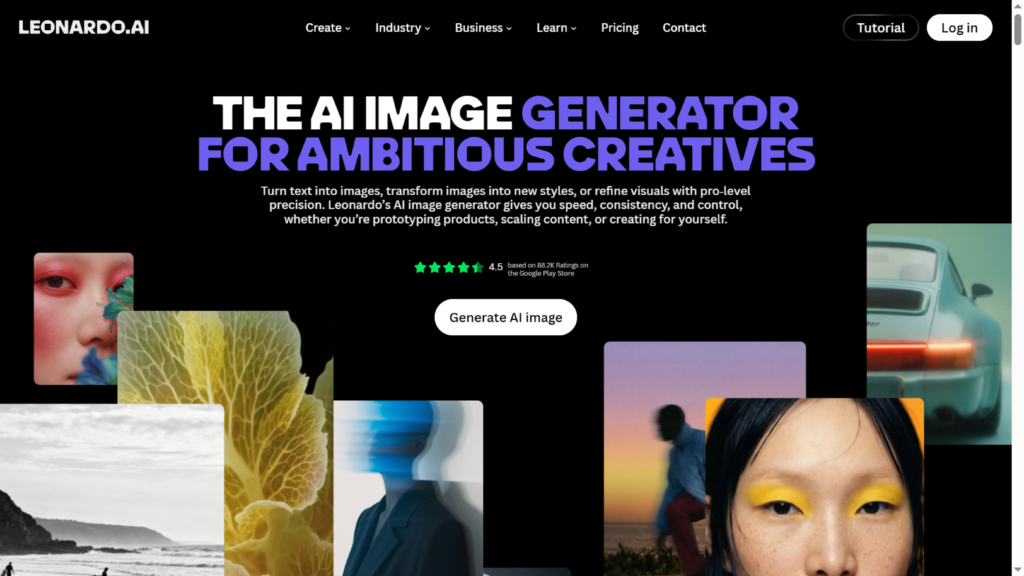
- Visit the Leonardo AI website
- Register an account
- Verify your email
- Access the dashboard
- Review available image generation tools
Expected Result
You gain access to the Leonardo AI workspace and image generation environment.
Step 2: Define Your Marketing Objective
Why This Matters
AI performs best when objectives are clearly defined.
What to Do
Determine:
- Target audience
- Marketing channel
- Brand style
- Visual purpose
- Desired action
Example:
Instead of:
“Create a business image.”
Use:
“Create a modern LinkedIn advertisement featuring a professional SaaS team collaborating in a bright office environment, corporate style, premium quality.”
Expected Result
A more focused prompt that produces relevant business visuals.
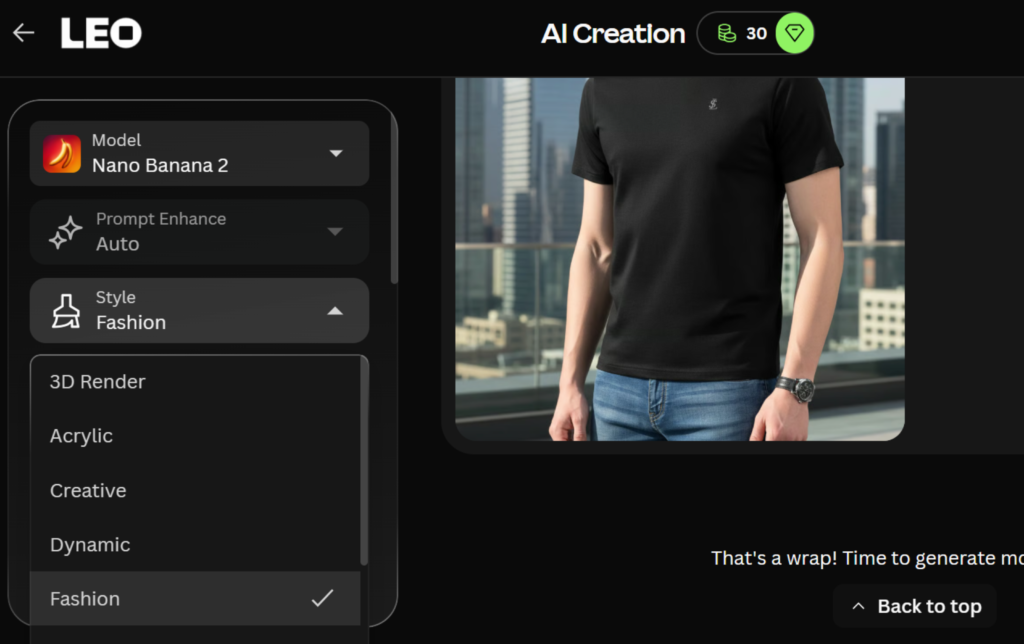
Step 3: Select an Appropriate Model
Why This Matters
Different models generate different visual styles.
What to Do
Choose a model that aligns with your campaign:
- Corporate photography
- Marketing visuals
- Product promotion
- Professional portraits
- Advertising creatives
Experiment with multiple models to compare outputs.
Expected Result
Images better aligned with campaign requirements.
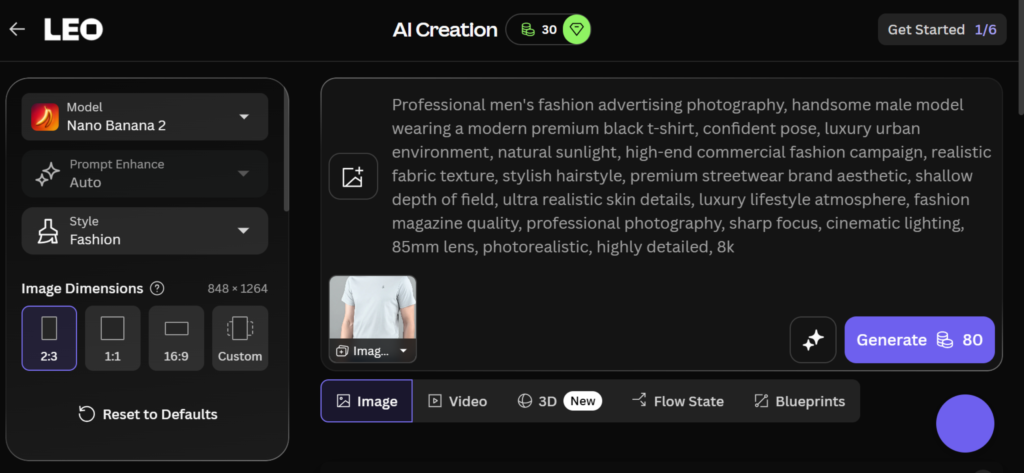
Step 4: Write Effective Prompts
Why This Matters
Prompt quality directly affects image quality.
What to Do
Use detailed prompts that include:
- Subject
- Environment
- Lighting
- Style
- Branding requirements
- Camera perspective
Example Prompt:
“Professional marketing team discussing growth strategy in a modern office, natural lighting, corporate photography, realistic style, premium quality, clean composition, business presentation aesthetic.”
Expected Result
More professional and commercially usable outputs.
Step 5: Generate Multiple Variations
Why This Matters
Marketing optimization requires options.
What to Do
Generate:
- Multiple compositions
- Alternative color schemes
- Different layouts
- Various creative concepts
Evaluate each version against campaign goals.
Expected Result
A selection of visual assets suitable for testing.
Step 6: Refine and Improve Outputs
Why This Matters
The first result is rarely the final result.
What to Do
Adjust:
- Prompt wording
- Style intensity
- Image dimensions
- Composition details
- Subject positioning
Continue refining until the image matches brand expectations.
Expected Result
Higher-quality marketing visuals.
Step 7: Upscale for Professional Use
Why This Matters
Marketing materials often require higher resolution.
What to Do
Use Leonardo AI upscaling tools to:
- Improve image clarity
- Enhance details
- Prepare assets for advertising
- Support large-format usage
Expected Result
Production-ready visual assets.
Step 8: Export and Deploy
Why This Matters
Visuals only create value when used effectively.
What to Do
Export images for:
- Social media campaigns
- Blog content
- Ad campaigns
- Landing pages
- Recruitment materials
- Internal presentations
Expected Result
Professional marketing assets ready for distribution.
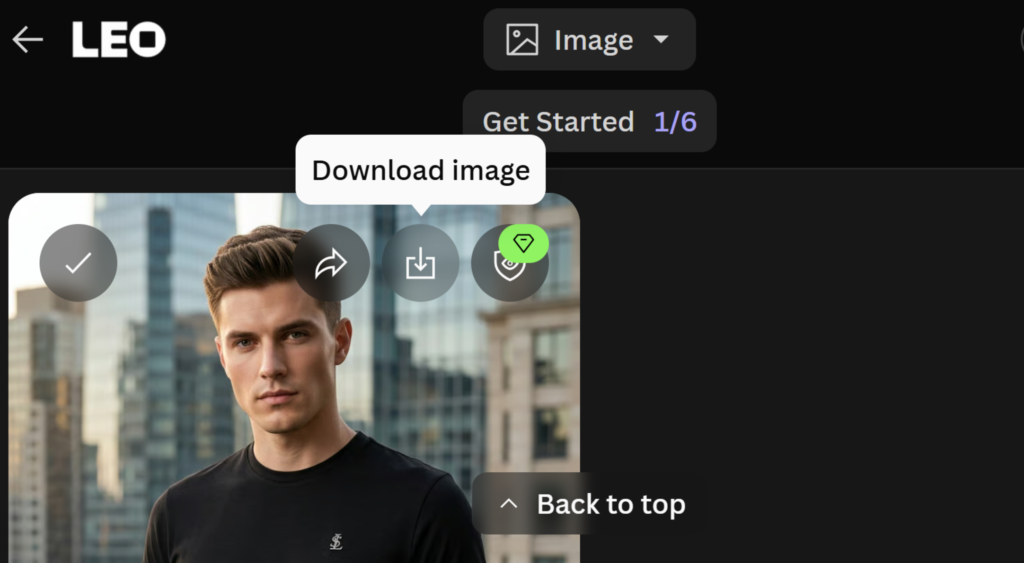
Watch Tutorial Video
You can see a short tutorial for creating visual designs by Leonardo AI through the following video.
Creating AI Ad Creatives with Leonardo AI
One of the strongest business applications of Leonardo AI is creating advertising creatives.
Examples include:
Social Media Ads
- Facebook ads
- Instagram ads
- LinkedIn ads
- X campaigns
Display Advertising
- Banner ads
- Retargeting creatives
- Promotional graphics
Lead Generation Campaigns
- Landing page visuals
- Ebook covers
- Webinar promotion graphics
Product Marketing
- Product mockups
- Feature announcements
- Product launch visuals
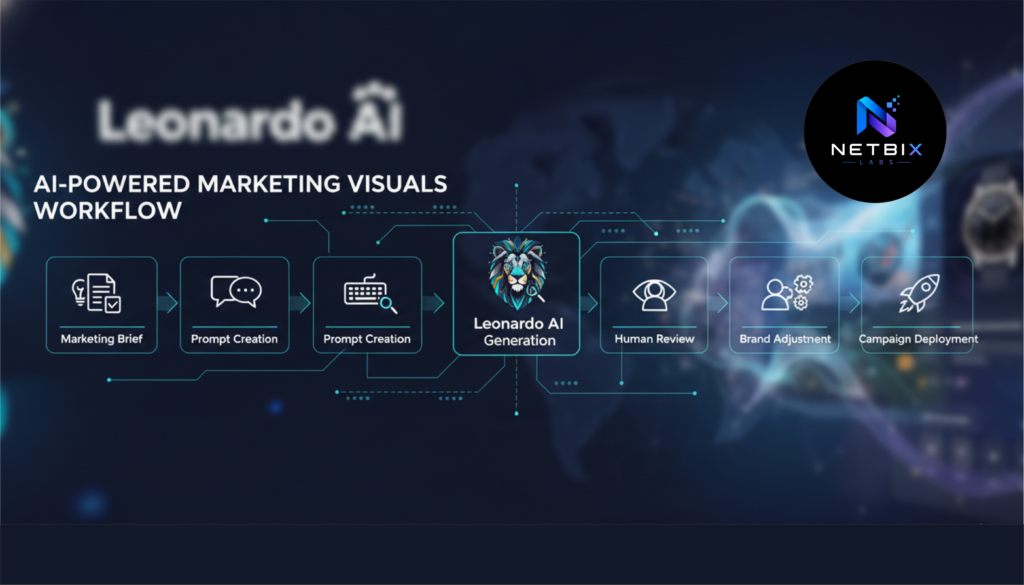
[WORKFLOW DIAGRAM SUGGESTION:
Campaign Goal → Creative Concept → AI Generation → A/B Testing → Optimization → Scale]
How Businesses Use This Tool
Startups
Startups use Leonardo AI to:
- Create affordable marketing materials
- Build brand assets quickly
- Produce launch campaigns
Agencies
Marketing agencies leverage Leonardo AI for:
- Faster client delivery
- Creative ideation
- Campaign testing
Marketing Teams
Marketing departments use Leonardo AI for:
- Content production
- Social media visuals
- Advertising assets
HR Teams
HR professionals create:
- Recruitment graphics
- Employer branding visuals
- Internal communication materials
Operations Teams
Operations departments generate:
- Process visuals
- Internal training graphics
- Documentation illustrations
Creators
Creators use Leonardo AI to:
- Produce branded content
- Create thumbnails
- Generate promotional assets
Enterprise Workflows
Large organizations use Leonardo AI for:
- Content scaling
- Multi-channel campaigns
- Brand-consistent visual production
Best Practices
Start with Clear Objectives
Always define:
- Audience
- Purpose
- Distribution channel
before writing prompts.
Build Prompt Templates
Create reusable prompt frameworks for consistency.
Generate Multiple Versions
Avoid relying on a single output.
Maintain Human Oversight
AI should assist creativity, not replace strategic review.
Create Brand Guidelines
Define:
- Colors
- Tone
- Style
- Visual identity
for all generated content.
Test Before Scaling
Validate visuals before launching large campaigns.
Common Mistakes
Writing Vague Prompts
Poor prompts often produce generic results.
Solution:
Use specific business-focused descriptions.
Ignoring Brand Consistency
Random styles can weaken brand identity.
Solution:
Use standardized prompt structures.
Over-Reliance on AI
Not every output is campaign-ready.
Solution:
Review and refine all assets.
Using Low Resolution Outputs
Marketing materials require professional quality.
Solution:
Always upscale important visuals.
Skipping A/B Testing
Creative performance varies significantly.
Solution:
Generate multiple creative versions.
FAQ
What is Leonardo AI used for?
Leonardo AI is used to generate AI-powered images, marketing visuals, creative assets, illustrations, advertising graphics, and business imagery.
Is Leonardo AI suitable for businesses?
Yes. Many startups, agencies, and corporate teams use Leonardo AI to accelerate content production and reduce design costs.
Can Leonardo AI create professional marketing materials?
Yes. With strong prompts and proper refinement, Leonardo AI can generate high-quality marketing visuals suitable for many commercial use cases.
Do I need graphic design experience?
No. Beginners can create professional visuals using text prompts and built-in tools.
Is Leonardo AI good for AI ad creatives?
Yes. It is commonly used to generate advertising concepts, social media graphics, and campaign assets.
Can HR teams use Leonardo AI?
Absolutely. HR departments frequently use AI-generated visuals for recruitment campaigns, employer branding, and internal communications.
What industries benefit most from Leonardo AI?
Technology companies, agencies, SaaS businesses, ecommerce brands, startups, consulting firms, and enterprise organizations often benefit significantly.
Alternatives to Leonardo AI
Adobe Firefly
What It Does
Generates AI-powered creative assets integrated into Adobe workflows.
When It’s Better
Best for organizations already using Adobe products.
Ideal Users
Design teams and creative agencies.
Midjourney
What It Does
Produces highly artistic and visually impressive AI-generated images.
When It’s Better
Ideal for concept art and premium creative exploration.
Ideal Users
Creative professionals and designers.
Canva AI
What It Does
Combines design tools with AI image generation.
When It’s Better
Useful for fast content production and collaborative design.
Ideal Users
Marketing teams and small businesses.
Ideogram
What It Does
Generates images with strong text rendering capabilities.
When It’s Better
Ideal for poster design and typography-heavy content.
Ideal Users
Marketers and social media teams.
Microsoft Designer
What It Does
Creates marketing graphics using AI-assisted workflows.
When It’s Better
Good for teams already using Microsoft ecosystems.
Ideal Users
Business professionals and corporate users.
Key Takeaways
- Leonardo AI enables fast creation of professional marketing visuals.
- Businesses can significantly accelerate creative production.
- Effective prompts are critical to image quality.
- AI marketing design workflows improve efficiency and scalability.
- AI ad creatives support rapid campaign testing.
- Human review remains essential.
- Consistent branding should always guide AI-generated content.
- Leonardo AI is suitable for startups, agencies, HR teams, and enterprise organizations.
Conclusion
This Leonardo AI tutorial demonstrates how modern organizations can use AI to streamline visual production, accelerate marketing workflows, and improve creative efficiency.
Whether you’re building AI marketing design assets, producing AI ad creatives, scaling AI graphic design operations, or generating professional AI business images, Leonardo AI offers a practical solution that balances speed, quality, and scalability.
As AI continues to transform business content creation, organizations that learn to combine automation with human creativity will be better positioned to produce engaging visual experiences at scale. Leonardo AI is not simply a design tool—it is increasingly becoming part of the modern marketing workflow.