Tag: Ai Productivity Tools

Ai Productivity Tools

What are AI productivity tools?

AI productivity tools are software applications and platforms that use artificial intelligence—machine learning, natural language processing, computer vision, and automation—to help people and teams work faster, smarter, and with fewer repetitive tasks. These tools range from intelligent writing assistants and meeting summarizers to automated workflows and autonomous agents that complete multi-step tasks.

Why AI productivity tools matter for business

As organizations face rising expectations for speed, personalization, and cost-efficiency, AI productivity tools deliver measurable value across the enterprise. They:

  • Reduce repetitive work: Automate low-value tasks like scheduling, data entry, and standard reporting.
  • Improve quality and consistency: Use AI to proofread, standardize messaging, and detect anomalies.
  • Accelerate decision-making: Generate insights from data, surface recommendations, and summarize key information.
  • Scale knowledge work: Let small teams operate at the capacity of larger ones by automating routine processes.

Common applications and business use cases

AI productivity tools are applied across virtually every business function. Here are the common categories and concrete examples of how they are used:

1. Writing, editing, and communication

Tools like Grammarly, Jasper, and Notion AI help teams draft emails, marketing copy, proposals, and internal docs faster. They offer grammar correction, tone adjustment, content templates, and structured outlines.

2. Meetings and knowledge capture

Solutions such as Otter.ai, Fireflies.ai, and Descript transcribe meetings, generate searchable summaries, and extract action items—reducing time spent on post-meeting follow-up and improving knowledge retention.

3. Workflow automation and integration

Platforms like Zapier, Make (Integromat), and RPA tools such as UiPath and Automation Anywhere connect apps and automate multi-step processes—from lead routing to invoice processing—freeing employees to focus on higher-value work. For autonomous, task-oriented agents and pipelines, explore our AI Agents and AI Automation coverage.

4. Personal productivity and scheduling

Smart assistants like Microsoft 365 Copilot, Google Workspace Duet, and scheduling assistants such as Reclaim.ai or AI features in calendar tools optimize time blocking, prioritize tasks, and suggest meeting times based on habits and priorities.

5. Analytics and decision support

Business intelligence with embedded AI—examples include Power BI, Tableau with AI extensions, and specialized platforms like DataRobot—automates data prep, surfaces trends, and powers predictive dashboards. See related insights in our ai analytics dashboard tag.

6. Code assistance and development

Developers use AI coding assistants (e.g., GitHub Copilot, Replit Ghostwriter) to autocomplete code, propose refactors, and generate tests—shortening development cycles and reducing debugging time.

Concrete examples of AI productivity tools

  • Grammarly: Real-time writing suggestions, tone adjustments, and clarity improvements for emails, documents, and social posts.
  • Microsoft 365 Copilot: AI-driven summaries and drafting inside Word, Outlook, Excel, and Teams to accelerate document and spreadsheet tasks.
  • Notion AI: Content automation, templates, and knowledge-base assistance embedded in collaborative docs.
  • Otter.ai and Fireflies.ai: Meeting transcription and automated action-item extraction for faster follow-up.
  • Zapier / Make: No-code workflow automation that connects hundreds of apps to automate repetitive processes.
  • UiPath: Robotic process automation (RPA) for scalable, rule-based automation in finance, HR, and supply chain.
  • Descript: Audio/video editing with transcript-based editing and AI-powered filler-word removal.
  • Power BI / Tableau: Dashboards with built-in AI insights and automated analytics to speed reporting and forecasting.

How AI productivity tools integrate with broader AI strategies

AI productivity tools rarely operate in isolation. They are most effective when combined with broader initiatives:

  • Embedding AI into workflows via automation and custom pipelines.
  • Using AI builders and low-code platforms to create internal tools and custom agents that match company workflows.
  • Coordinating with design and content teams using insights from AI Design and AI Video tools to produce consistent, branded assets.
  • Aligning with AI Security and governance to protect data and mitigate compliance risks.

Best practices for adopting AI productivity tools

To get real ROI from AI productivity tools, follow practical steps:

  • Start with high-impact, low-risk pilots: Automate one clear process (e.g., meeting summaries, invoice processing) and measure time saved.
  • Involve end-users early: Train and gather feedback from the teams who will use the tools daily.
  • Focus on integration: Pick tools that integrate with your stack (CRM, collaboration apps, BI platforms) to avoid fragmentation.
  • Establish governance: Define data access, model usage policies, and review cycles to control quality and compliance.
  • Measure outcomes: Track productivity KPIs—time saved, error reduction, throughput, and employee satisfaction.

AI agents and workflow orchestration

Advanced productivity gains come from intelligent agents and orchestrated workflows that combine multiple tools. For examples and tutorials on agent-driven automation and business workflows, check our tags on ai agents automation and ai agents workflow. Agencies and consultancies can accelerate client delivery using curated stacks—see agency ai tools for practical toolkits and case studies.

Future trends to watch

  • More autonomous agents: Agents that plan, execute, and learn from multi-step tasks will reduce managerial overhead for routine operations.
  • Deeper integration with business systems: Native AI capabilities inside ERPs, CRM, and collaboration platforms will make productivity gains seamless.
  • Explainability and trust: Improved model transparency and audit logs will make AI-driven decisions easier to validate.
  • Verticalized AI productivity: Industry-specific assistants (legal, finance, healthcare) that understand domain rules and regulations.

Getting started

If you’re evaluating AI productivity tools, begin by mapping repetitive tasks and priority pain points, then pilot a small set of tools that integrate with your existing systems. Read case studies in AI for Business and explore implementation patterns in AI Productivity to build a sustainable rollout plan.

AI productivity tools are not a silver bullet, but when chosen and governed correctly, they transform how teams work—saving time, improving quality, and unlocking new capacity for strategic work.

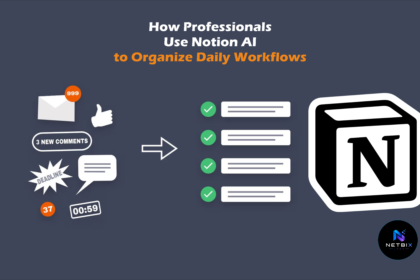
How Professionals Use Notion AI to Organize Daily Workflows

Learn how to use Notion AI to organize your daily workflows, automate…

Iqbal