AI Productivity
Are AI Agents for Customer Service Really Better Than Human Agents?
If you have tried to get help from a chatbot in the…


AI Productivity refers to the use of artificial intelligence to amplify human output, streamline workflows, and reduce time spent on repetitive or low-value tasks. It combines machine learning, natural language processing, automation, and intelligent agents to help individuals and teams do more with less effort. In practice, AI productivity tools can assist with everything from email triage and meeting summaries to automated reporting, content creation, and intelligent scheduling.
In competitive markets, the ability to execute faster and smarter is a strategic advantage. AI productivity is not just about saving time — it’s about redirecting human effort toward higher-impact work. Organizations that adopt AI productivity solutions can expect:
AI productivity spans many business functions. Here are the most common and impactful applications:
Tools that summarize meetings, draft emails, and organize notes speed up daily work. Examples include automated meeting transcription and summary services like Otter.ai or Fireflies.ai, AI writing assistants such as Grammarly and Jasper, and integrated copilots inside productivity suites (e.g., Microsoft 365 Copilot or Google Workspace AI).
Explore related tips and case studies under the meeting summary AI tag and the ai productivity tools tag.
AI can orchestrate multi-step workflows: extracting data, triggering follow-ups, and updating systems automatically. Platforms like Zapier, Make (Integromat), and no-code AI builders connect apps and automate business processes. For advanced scenarios, AI-driven workflow tools use predictive logic and NLP to route tasks intelligently.
See more in the AI Automation and AI workflow automation resources.
AI helps manage calendars, prioritize tasks, and optimize time blocks. Tools like Reclaim.ai and AI-enabled scheduling assistants reduce back-and-forth and protect deep work time. These solutions are especially useful for executives and distributed teams looking to maximize focus and reduce context switching.
Related coverage is available under the ai time management tag.
Generating reports and dashboards can be largely automated by AI: extracting insights from large datasets, summarizing trends, and even generating slide decks. Business intelligence augmented with AI improves the speed and clarity of reporting for finance, marketing, and operations.
Read more about AI analytics and reporting in ai automated reporting and AI for Business.
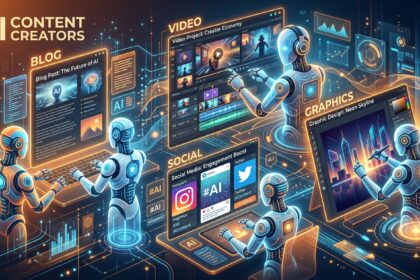
AI streamlines content production — from blog posts and ad copy to product descriptions and video. Platforms like Descript, Synthesia, and Pictory automate editing and video generation, while generative text tools accelerate writing and repurposing. This reduces time-to-publish and scales creative output.
Explore applications in the AI Video and ai content automation sections.
Below are real-world examples of AI productivity in action and representative tools you can evaluate.
Adopting AI productivity tools is a balance of technology, process, and governance:
While AI productivity tools offer major gains, businesses must manage risks: data privacy, model hallucination, and over-automation that reduces human oversight. Implement policies for data governance, human-in-the-loop review for critical decisions, and security controls. Partner with your IT and compliance teams and use resources from AI Security to build resilient, secure workflows.
AI productivity is inherently cross-disciplinary. It intersects with:
Expect AI productivity to evolve rapidly. Key trends include:
For breaking developments and high-impact announcements, check our Trending Now coverage.
To make AI productivity work for your team: map your most time-consuming tasks, pilot a single tool, measure outcomes, and iterate. Learn implementation tips and tool comparisons in our related tags: ai productivity tools, ai task automation, AI workflow automation, ai time management, and meeting summary AI. For broader strategy, explore AI for Business and practical builder guidance in AI Builders.
AI Productivity is not a single tool but a new operating model: combine intelligent automation, connected workflows, and human judgment to unlock sustained productivity gains across your organization.
If you have tried to get help from a chatbot in the…