Tag: Meeting Summary AI

Meeting Summary AI

What is “meeting summary AI”?

Meeting summary AI refers to artificial intelligence systems that automatically generate concise, actionable summaries from meetings, calls, and video conferences. These systems combine speech-to-text transcription, natural language understanding (NLU), and summarization models to capture key points, decisions, action items, and timestamped excerpts — often in real time or shortly after a meeting ends.

Unlike manual note-taking, meeting summary AI aims to remove human error, reduce cognitive load, and make meeting content instantly searchable and reusable across teams and systems.

Why meeting summary AI matters

  • Save time: Reduce hours spent writing minutes and follow-up emails.
  • Improve accuracy: Capture exact quotes, decisions, and action items without relying on memory.
  • Boost accountability: Auto-extracted action items with owners and deadlines help ensure follow-through.
  • Enhance knowledge capture: Create searchable archives of meetings that feed documentation and training.
  • Enable asynchronous teams: Team members in different time zones can quickly catch up without attending every meeting.

How meeting summary AI works (simple overview)

Meeting summary AI typically uses a pipeline of components:

  • Audio capture and preprocessing — record and clean the audio source (microphones, VoIP streams).
  • Speech-to-text — convert spoken words into transcripts using ASR (automatic speech recognition).
  • Speaker diarization — identify who said what to assign statements to participants.
  • Natural language processing — detect intents, decisions, and action items; group related comments.
  • Summarization and formatting — produce a concise summary, bulleted action list, and optional timestamps.
  • Integrations — push summaries into calendars, CRMs, project management tools, or knowledge bases.

Concrete examples and tools

There are several production-ready platforms and features that illustrate meeting summary AI in real-world use:

  • Otter.ai — Live transcription with highlight and summary features; widely used for interviews and team meetings.
  • Fireflies.ai — Record meetings across platforms, auto-generate notes, and extract action items and themes.
  • Grain — Capture and clip important meeting moments, create shareable highlights and summaries for stakeholder updates.
  • Fathom — A Zoom integration that creates meeting recaps and searchable transcripts with speaker labels.
  • Avoma — Combines coaching and summary features for sales and support teams, linking insights to CRM records.
  • Zoom AI Companion and Google Meet summaries — Built-in platform-level summaries that make it easy to get recaps without third-party apps.
  • Notion AI and Microsoft Teams’ recap features — Integrate summaries into collaborative docs and task lists.

Practical applications and use cases

Sales and customer success

Use meeting summary AI to automatically log sales call highlights, objections, next-steps, and follow-up dates into a CRM. For example, integrating Fireflies or Avoma with Salesforce can populate opportunity notes and schedule follow-ups, reducing missed commitments and improving pipeline hygiene.

Product development and stand-ups

Generate concise meeting notes and action items from product syncs and retrospectives. Automatically push action items into project trackers (Jira, Trello) so engineers and PMs can act without manual transcription.

Executive and board meetings

Summaries provide searchable records of strategic decisions and approvals. Tools like Otter and Grain can produce timestamped minutes that are helpful for governance and compliance.

Recruiting and interviews

Ensure consistent interview summaries and candidate comparisons by capturing key strengths, concerns, and scoring insights directly from recorded interviews.

Knowledge management and onboarding

Convert recurring meeting insights into documentation for new hires, reducing ramp time. Summaries feed into internal wikis and searchable archives, making tribal knowledge accessible.

Integration examples

  • Auto-sync meeting summaries to Slack channels or Microsoft Teams to keep absent teammates informed.
  • Push action items into Asana or Monday.com to enforce accountability.
  • Send summarized call transcripts into CRM fields (Salesforce, HubSpot) for better deal context.
  • Index summaries in an AI analytics dashboard to track recurring topics, sentiment trends, and team responsiveness (ai analytics dashboard).

Best practices for adopting meeting summary AI

  • Set expectations: Inform participants that meetings will be recorded and summarized to respect privacy and compliance rules.
  • Define templates: Standardize the summary format (decisions, action items, owners, deadlines) to streamline follow-up.
  • Integrate early: Connect summaries to your CRM and project tools so information flows without manual steps — this is where AI Automation shows value.
  • Train for domain context: Use custom vocabulary and models for industry-specific terms to improve accuracy.
  • Review and correct: Use human-in-the-loop review for high-stakes meetings until confidence in model accuracy is high.

Challenges and limitations

Meeting summary AI is powerful but not perfect. Common issues include transcription errors in noisy environments, speaker overlap, and nuance loss in summarization. Privacy and security are also critical — recordings often contain sensitive data, so choose solutions with strong encryption and access controls (AI Security).

Bias and misinterpretation can also occur: AI may prioritize frequently mentioned topics and miss less frequent but critical decisions. Human review and clear meeting protocols reduce these risks.

Future trends

  • Smarter action extraction: Models will better identify owners, deadlines, and confidence levels to create executable tasks automatically.
  • Multimodal summaries: Summaries will combine transcript, slides, and video snippets for richer context — an area that overlaps with AI Video.
  • Proactive AI agents: Integrated agents will join meetings as assistants that can surface relevant documents, propose agenda items, or even draft follow-up emails (AI Agents and ai agents automation).
  • Enterprise-grade compliance: More robust controls for data residency, audit trails, and role-based access.

Related topics and further reading

For hands-on workflows and tools that augment meeting summary AI, explore resources on AI Productivity and AI for Business. Teams building custom integrations will also benefit from learning about AI Builders and solutions for digital agencies (agency ai tools).

If your organization is experimenting with agent-driven workflows, see content on ai agents workflow and how analytics can surface trends with an ai analytics dashboard.

Conclusion

Meeting summary AI is rapidly becoming an essential productivity layer for modern organizations. By automating transcription, extracting key insights, and integrating directly with business systems, these tools reduce manual work and improve decision follow-through. Start with pilot meetings, integrate summaries into your existing workflows, and treat AI as a collaborator that augments — not replaces — human judgment.

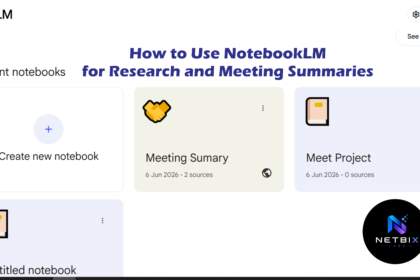
How to Use NotebookLM for Research and Meeting Summaries

Learn how to use NotebookLM as an AI research assistant and meeting…

Iqbal