Tag: Ai Task Management

Ai Task Management

What is AI task management?

AI task management refers to the use of artificial intelligence technologies to create, prioritize, assign, schedule, optimize, and track tasks across teams, projects, and workflows. Rather than treating tasks as static checklist items, AI task management systems apply machine learning, natural language processing, predictive analytics, and automation to understand context, predict timelines, and act on tasks—either by suggesting actions to humans or executing them autonomously via agents and automation rules.

Why AI task management matters

Modern work is more distributed, interdependent, and time-sensitive than ever. Teams struggle with overloaded calendars, unclear priorities, missed deadlines, and repetitive coordination tasks. AI task management solves these problems by:

  • Improving prioritization: AI ranks work based on deadlines, dependencies, value, and team capacity.
  • Automating routine work: Repetitive task creation, status updates, and follow-ups are handled with automation and agents.
  • Reducing context switching: Intelligent scheduling and batching minimize interruptions and boost focus.
  • Providing predictive insight: Forecast delays, identify risks, and suggest contingency plans.
  • Scaling knowledge: Capture institutional know-how and generate task templates across projects.

Core capabilities of AI task management

  • Natural language task creation: Convert a Slack message, email, or meeting note into a well-formed task.
  • Automatic prioritization and sequencing: Rank tasks based on impact, deadlines, and resource constraints.
  • Smart scheduling: Auto-reschedule work into available calendar blocks while balancing deadlines and personal preferences.
  • Autonomous execution: Use AI agents to complete routine steps (e.g., data collection, report generation, status updates).
  • Progress forecasting: Predict completion dates and flag tasks at risk of slipping.
  • Contextual recommendations: Suggest next actions, relevant documents, or subject-matter experts to contact.

Real-world examples and tools

Several commercial tools mix traditional task management with AI features; others are pure AI-native platforms or agent frameworks:

  • Asana and ClickUp: Both offer AI assistants that help generate task descriptions, summarize project status, and propose priorities.
  • Notion AI: Create tasks from meeting notes and generate action items automatically inside knowledge workflows.
  • Reclaim.ai, Motion, Clockwise: Intelligent scheduling tools that automatically optimize calendars, block focus time, and fit tasks into available slots.
  • Trello Butler: Low-code automation that triggers task creation and moves cards based on rules; combined with AI tools, it can form part of an automated workflow.
  • Jira with automation & predictive analytics: For engineering teams, Jira can auto-assign issues, estimate delivery time, and surface risky sprints.
  • UiPath and Automation Anywhere: RPA platforms that attach AI to task workflows for enterprise process automation—useful for finance, HR, and operations.
  • Autonomous agents: Tools like AutoGPT, AgentGPT, and custom agents built on LLMs can autonomously perform multi-step tasks such as data gathering, outreach, and status reporting.
  • Copilot & Generative AI: Microsoft Copilot and Google Workspace AI help generate drafts, summarize threads, and create task lists directly from documents and emails.

Concrete use case: Product launch

During a product launch, AI task management can:

  • Parse meeting notes into a task backlog with owners and deadlines.
  • Use predictive analytics to forecast which deliverables are at risk.
  • Auto-schedule marketing, dev, and support tasks into stakeholders’ calendars.
  • Trigger an AI agent to generate press kit drafts, create social media posts using ai ad creatives tools, and report completion status back to the launch dashboard.

Concrete use case: Customer support operations

AI can triage incoming tickets into tasks, route them to the right teams, suggest responses, and automatically escalate high-priority cases. Integration with CRM and analytics platforms allows AI to create tasks for follow-ups and predict customer churn based on unresolved issues.

How businesses apply AI task management across functions

  • Marketing: Automate campaign checklists, generate creative briefs, and sync tasks with creative tools and advertising platforms.
  • Sales: Create follow-up tasks after calls, prioritize leads, and schedule demos intelligently.
  • Product & Engineering: Auto-generate tickets from bug reports, predict sprint capacity, and recommend backlog grooming actions.
  • Operations & Finance: Orchestrate invoice approvals, reconcile tasks across systems, and automate repetitive data-entry tasks.
  • HR: Streamline onboarding checklists, schedule training, and monitor completion automatically.

Integration with agents, automation and builders

AI task management often sits at the intersection of several AI categories. It leverages AI Agents to perform autonomous steps, uses AI Automation for workflows and rules, and benefits from AI Builders when teams create custom task bots and integrations. For creative handoffs, it connects to AI Design and AI Video tools; for company-wide adoption it aligns with AI for Business strategies and AI Productivity initiatives. Security and governance should reference AI Security best practices.

Relevant tags and related reads

Explore practical guides and tool roundups that complement AI task management: ai agents automation, ai agents workflow, ai agents business, and agency ai tools.

Best practices for implementing AI task management

  • Start small: Automate a single workflow first (e.g., meeting notes → tasks) before scaling.
  • Maintain human oversight: Allow humans to review AI-suggested priorities and assignments, especially for sensitive decisions.
  • Measure impact: Track time saved, on-time delivery rates, and user satisfaction.
  • Integrate data sources: Connect calendars, email, project tools, and CRM for richer insights.
  • Enforce governance and security: Apply access controls and logging to AI-generated actions to comply with policies and protect data.

Challenges and considerations

While AI task management can be transformative, teams must consider:

  • Data quality: Poor input data leads to bad suggestions—clean, standardized data improves outcomes.
  • Bias and fairness: Automated assignment could unintentionally overload certain team members if not monitored.
  • Privacy & compliance: Tasks often include sensitive information—ensure AI pipelines meet regulatory requirements.
  • User adoption: Change management is necessary so teams trust and rely on AI recommendations.

Future trends

Expect AI task management to evolve with more autonomous agents that can complete entire workflows end-to-end, deeper integrations into communication platforms, and predictive systems that not only flag risks but also propose and execute remediation plans. Advances in multi-modal models and domain-specific builders will let organizations craft custom task agents that understand specialized terminology and processes.

Conclusion

AI task management is a practical, high-impact application of AI that addresses the everyday fracturing of work by turning raw conversations and data into prioritized, scheduled, and sometimes autonomous action. Whether you’re a small agency leveraging smart scheduling and creative automation, or an enterprise adopting agents and RPA, applying AI thoughtfully to task management drives productivity, reduces friction, and helps teams focus on higher-value work.

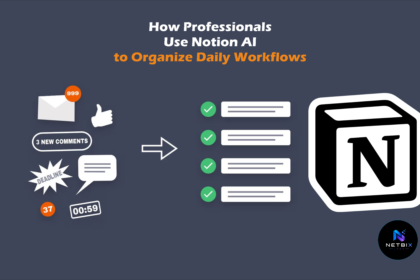
How Professionals Use Notion AI to Organize Daily Workflows

Learn how to use Notion AI to organize your daily workflows, automate…

Iqbal