Tag: Notion AI Workflow

Notion AI Workflow

What is a Notion AI workflow?

A Notion AI workflow is a repeatable process that combines Notion’s workspace capabilities with AI-assisted features (like Notion AI or external generative models) and integrations to automate, accelerate, and standardize knowledge work inside Notion. Instead of manually writing summaries, creating tasks, or moving information across systems, a Notion AI workflow uses prompts, templates, triggers, and connectors to produce consistent outputs — meeting notes, content drafts, customer summaries, or action items — with minimal human overhead.

Why Notion AI workflows matter for businesses

Notion has become a hub for documentation, project management, and knowledge bases. Adding AI into the mix transforms Notion from a static repository into an active productivity engine. The benefits include:

  • Faster output: Generate first drafts, summaries, and task lists instantly.
  • Consistency and quality: Standardized templates and AI prompts ensure uniform tone and structure across teams.
  • Better knowledge discovery: AI helps surface insights from meeting notes, research, and long-form documents.
  • Scale without adding headcount: Automate repetitive steps like enriching CRM records or creating release notes.
  • Human-in-the-loop control: Combine AI draft generation with human review to keep accuracy high.

Key components of an effective Notion AI workflow

  • Triggers: When does the workflow run? Examples: new meeting note created, new lead added, or a content brief completed.
  • AI step(s): Prompts to Notion AI or external models (OpenAI GPT, Anthropic Claude) to summarize, rewrite, translate, or brainstorm.
  • Automation layer: Integration tools (Zapier, Make, n8n, Pipedream) or custom scripts that move data between Notion and other apps.
  • Templates & prompts: Reusable Notion templates and prompt libraries that standardize outputs.
  • Human review & approval: Stages for editors, managers, or engineers to validate AI-generated content.
  • Logging & auditing: Version history in Notion plus integration logs for compliance and traceability.

Concrete examples of Notion AI workflows

1. Meeting notes → Action items → Project board

Use case: Turn every meeting into a set of clear deliverables without extra admin time.

  • Trigger: New meeting note created from a Notion meeting template.
  • AI step: Notion AI or an external LLM summarizes the discussion and extracts action items, owners, and due dates.
  • Automation: Create tasks on a Notion project board or push items to Asana/Trello via Zapier or Make.
  • Outcome: No more lost action items; status updates are centralized inside Notion.

2. Content production pipeline (brief → draft → SEO checklist → publish)

Use case: Streamline blog/content creation for marketing teams.

  • Trigger: Content brief completed in Notion (title, target keywords, audience).
  • AI step: Notion AI generates an outline and a first draft; an additional AI step runs an SEO checklist (headlines, meta, word count).
  • Automation: Assign editors and schedule publish dates. Optionally, push the final draft to a CMS via API.
  • Outcome: Faster time-to-publish and consistent optimization across posts.

3. Sales lead enrichment and playbook

Use case: Sales teams keep CRM data enriched and context-rich without manual research.

  • Trigger: New lead entry in Notion or imported from a form.
  • AI step: Generate company summary, pain points, and recommended outreach sequence using Notion AI + external data sources.
  • Automation: Update lead status, create outreach tasks, and log templates for the sales rep.
  • Outcome: Reps spend less time researching and more time selling.

4. Product spec to dev tickets

Use case: Convert product discussions into developer-ready tasks.

  • Trigger: Finalized product spec page in Notion.
  • AI step: Create acceptance criteria, break down features into tickets, and estimate complexity.
  • Automation: Create GitHub issues or Jira tickets via integration, link back to the Notion spec.
  • Outcome: Shorter handoffs and fewer misinterpretations between PM and engineering.

Tools and platforms commonly used with Notion AI workflows

  • Notion AI and Notion API (native capabilities and programmatic access)
  • Integration / automation platforms: Zapier, Make (Integromat), n8n, Pipedream
  • Generative LLMs: OpenAI GPT (GPT-4/GPT-4o), Anthropic, Hugging Face models
  • Data tooling: Google Sheets, BigQuery, or internal analytics that feed insights back into Notion
  • Developer libraries: LangChain/Agents wrappers for complex multi-step automation

Best practices for building reliable Notion AI workflows

  • Design clear prompts and templates: Good prompts reduce hallucinations and increase usability of AI outputs.
  • Use staged automation: Auto-generate content but require human approval before critical actions (e.g., sending emails).
  • Limit scope per workflow: Keep workflows focused (e.g., meeting notes only) to simplify debugging.
  • Monitor outputs and retrain prompts: Track accuracy and iterate on prompts and templates.
  • Security and access control: Use Notion permissions wisely and consider data governance when connecting external models — see guidance on AI Security.

Who benefits most from Notion AI workflows?

Teams that manage knowledge, projects, or recurring content creation get the biggest gains: product managers, marketing, sales, customer success, and ops. Enterprise knowledge bases and agencies also benefit by standardizing deliverables and speeding up client work. For strategic perspectives and how AI transforms business roles, explore the AI for Business and AI Productivity categories.

Practical examples and templates to try today

  • Meeting Notes template + Notion AI prompt: “Summarize the meeting, list 3 action items with owners and due dates.”
  • Content Brief template + Notion AI: “Create a blog outline for keyword X, include H2/H3 headings and a 200-word intro.”
  • Sales Lead card + AI enrichment: “Produce a 3-sentence company summary and 2 suggested email openers.”

Related topics and further reading

For builders and technical implementers, look into AI Builders and AI Agents to combine Notion with programmable agents and serverless functions. If you’re focusing on automating repetitive workflows, check the AI Automation category. For tag-level deep dives related to agents and analytics that pair well with Notion AI workflows, see:

Getting started checklist

  • Create a Notion template for the workflow you want to automate (meetings, content, leads).
  • Draft clear AI prompts and a fallback human-review step.
  • Choose an integration tool (Zapier/Make/n8n) and connect the Notion API.
  • Test the workflow on sample data and refine prompts for accuracy.
  • Roll out to a pilot team, collect feedback, and iterate.

A well-designed Notion AI workflow reduces friction, protects institutional knowledge, and frees teams to focus on higher-value work. By combining Notion’s flexible workspace with AI generation and reliable integrations, organizations can turn repetitive tasks into predictable, auditable processes that scale.

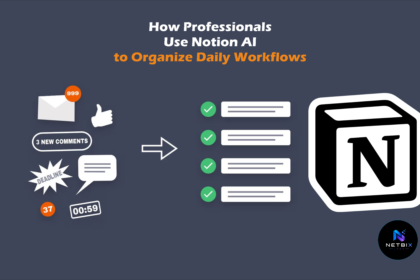
How Professionals Use Notion AI to Organize Daily Workflows

Learn how to use Notion AI to organize your daily workflows, automate…

Iqbal