Discover how small businesses use AI for cost reduction by replacing repetitive roles with free AI tools — no complex setup, no integrations needed.
Introduction
Picture a typical startup marketing team. Five people. One handles design. One edits video. One writes copy and captions. One schedules and posts content every day. One manages paid ads.
Five salaries. Five seats. Most of that work follows the same pattern every single week.
Now picture that same function run by two people instead of five. One person stays focused entirely on advertising strategy — because that role genuinely requires judgment, budget decisions, and ongoing analysis that AI cannot replicate responsibly. The second person becomes an AI operator — using a handful of free AI tools, each handling a specific function, to personally cover what used to require three separate hires: writing, design, and video.
This is the real substance behind AI for small business cost reduction. It isn’t about AI helping your team work a little faster. It’s about identifying which roles are repetitive and rule-based enough that a free AI tool can take over the function entirely — and which roles still require a human’s judgment, creativity, or relationship management.
This guide is for corporate teams, HR departments, startups, and business professionals who want a clear, honest framework for this kind of operational cost reduction — including which roles are realistic candidates for AI replacement, which specific free tools to use for each function, and how to transition responsibly without disrupting your team.
Quick Summary
- AI cost reduction works best when it targets specific repetitive functions, not entire departments at once.
- Some roles can be meaningfully replaced by AI; others — especially those requiring strategic judgment — should stay with people.
- A small set of free AI tools, each used directly for its specific purpose, can cover writing, design, and video — no technical setup or integration required.
- Responsible AI-driven cost reduction includes a transition period, not an overnight cutover.
- This approach is realistic for startups, agencies, marketing teams, and any small business with a lean operational budget.
Table of Contents
- What You’ll Learn
- Which Roles AI Can Actually Replace — And Which It Can’t
- Tool Overview: The Free AI Toolkit for Each Function
- Step-by-Step: Replace Writing, Design, and Video with Free AI Tools
- Video Tutorial
- How Businesses Use This Approach
- Best Practices
- Common Mistakes to Avoid
- Alternatives Worth Considering
- FAQ
- Key Takeaways
- Conclusion
What You’ll Learn
- How to honestly assess which roles in your business are realistic candidates for AI replacement
- Which specific free AI tool to use for writing, which for design, and which for video
- How one person can personally cover three functions using simple, direct tools — no automation platform required
- How to manage the transition responsibly without disrupting your team or your output quality
- Real examples of how small businesses have restructured teams around AI-handled functions
- What mistakes to avoid so cost reduction doesn’t come at the expense of quality or trust
Which Roles AI Can Actually Replace — And Which It Can’t
Most conversations about AI and cost reduction stay vague — “AI helps you work faster” — without specifying what that actually means for headcount and operational spend. Let’s be specific.
You might also like: How to Build Internal Business Apps with AI Without Coding
Related guide: How Executives Use AI Productivity Systems to Save Time
Roles that are strong candidates for AI replacement share three characteristics: the work is repetitive, the steps follow a predictable pattern, and the output doesn’t require deep relationship context or high-stakes judgment calls.
- Content writing and copywriting (first draft level) — AI can generate captions, product descriptions, and social posts that follow brand guidelines, consistently and at volume
- Graphic design (templated and on-brand) — AI design tools can produce social graphics, ad creatives, and basic marketing visuals from a brief, without a dedicated designer for routine output
- Basic video editing — AI video tools can cut, caption, and assemble short-form content from raw footage or scripts without a trained editor
- Tier-1 customer support — answering common, repeatable questions
- Initial candidate or lead screening — filtering against defined criteria before human review
- Basic bookkeeping categorization — sorting transactions against known categories
Roles that should stay with people involve judgment under uncertainty, strategic trade-offs, or relationship management:
- Paid advertising strategy — budget allocation, campaign judgment calls, and interpreting performance data in context require ongoing human decision-making
- Brand strategy and creative direction — defining what the brand should say and how it should evolve is not a repeatable task
- Complex client or partner relationships — anything involving negotiation, trust-building, or nuanced communication
- Final quality and brand judgment — even when AI produces the first draft, someone should still be accountable for what goes out publicly
The marketing team example at the start of this guide reflects this exactly: writing, design, and video are handed to AI tools because they’re repeatable. Advertising stays with a person because it isn’t.
Tool Overview: The Free AI Toolkit for Each Function
Rather than one complex platform, this approach uses a small, focused set of free AI tools — one per function. No integration, no API setup, no automation platform. The AI operator simply opens each tool directly and uses it for its specific job.
ChatGPT — Replaces Writing and Copywriting
ChatGPT generates captions, post copy, and content ideas directly from a simple prompt. The free plan is sufficient for this entire function — there’s no need for an upgrade to replace a copywriter’s day-to-day output.
Why this tool: It’s the most capable free writing tool available, handles brand voice instructions well, and produces ready-to-use copy in seconds.
Official Website: https://chatgpt.com
Canva (Magic Design) — Replaces Graphic Design
Canva’s Magic Design feature generates complete, on-brand social graphics from a short text description. The free plan includes Magic Design, access to templates, and enough storage for a small business’s ongoing content needs.
Why this tool: It’s purpose-built for exactly this use case — social media graphics, ad creatives, and marketing visuals — and requires no design skill to produce professional-looking output.
Official Website: https://canva.com Official Documentation: https://www.canva.com/help/
CapCut — Replaces Basic Video Editing
CapCut is a completely free video editing tool with strong built-in AI features — automatic captions, background removal, and AI-assisted cutting and pacing. It’s the standard tool for short-form video content on TikTok, Reels, and YouTube Shorts.
Why this tool: Its free tier has no meaningful limitations for small business content needs, and its AI captioning alone replaces hours of manual editing work.
Official Website: https://capcut.com
Why this combination works for cost reduction specifically: each tool replaces a distinct function — ChatGPT replaces the copywriter, Canva replaces the designer, and CapCut replaces the video editor. One operator manages all three tools directly, switching between them as needed, instead of three separate specialists each handling their piece manually.
What you’ll need before starting:
- A free ChatGPT account → https://chatgpt.com
- A free Canva account → https://canva.com
- A free CapCut account → https://capcut.com
- Your brand basics ready: logo file, brand colors, and a short description of your brand’s tone of voice
Step-by-Step: Replace Writing, Design, and Video with Free AI Tools
This workflow takes a single content idea and shows exactly how one person, using three free tools directly, can produce the same output that previously required a copywriter, a designer, and a video editor working separately.
Step 1: Map the Functions You’re Actually Replacing
Why it matters: Before opening any tool, you need clarity on exactly which human tasks this approach is standing in for. This isn’t a technical step — it’s the decision that determines whether this is a genuine cost reduction or just a collection of AI tools that adds complexity without reducing headcount needs.
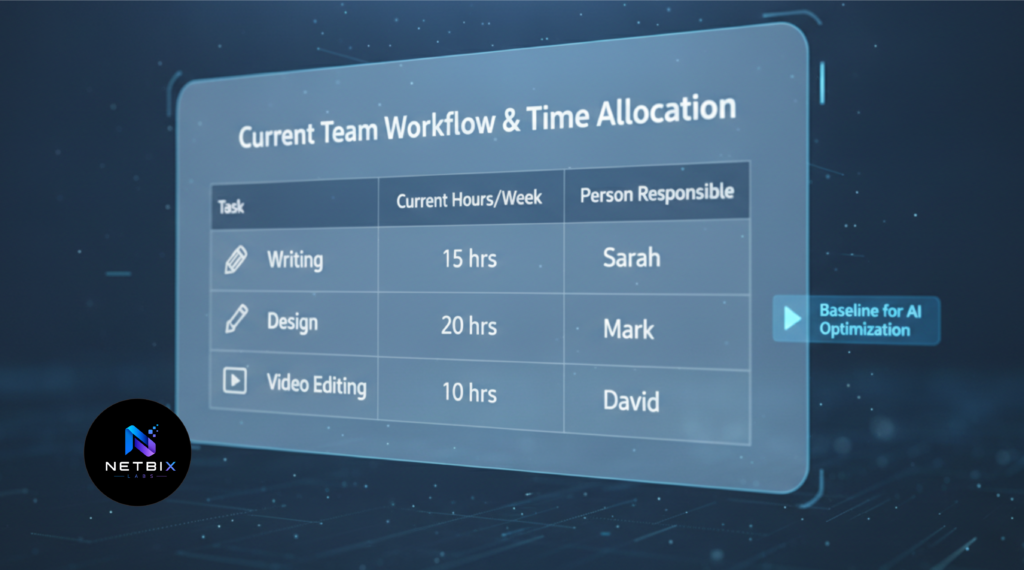
What to do: Write down the current process exactly as it happens today, including who does each step and roughly how long it takes:
- Who writes the caption or post copy, and how long does it take?
- Who creates the accompanying visual, and how long does it take?
- Who edits video content, and how long does it take?
Add up the weekly hours across all three functions. This is the baseline you’re aiming to replace with the tools below.
Expected result: A clear before-and-after comparison point — the current weekly hours and cost across three roles, against which you’ll measure the AI toolkit’s impact once it’s in use.
Step 2: Generate Written Content with ChatGPT
Why it matters: This is the first function being replaced — the copywriter role. Instead of someone manually writing each caption from scratch, a clear prompt produces consistent, on-brand copy directly, in under a minute.
What to do:
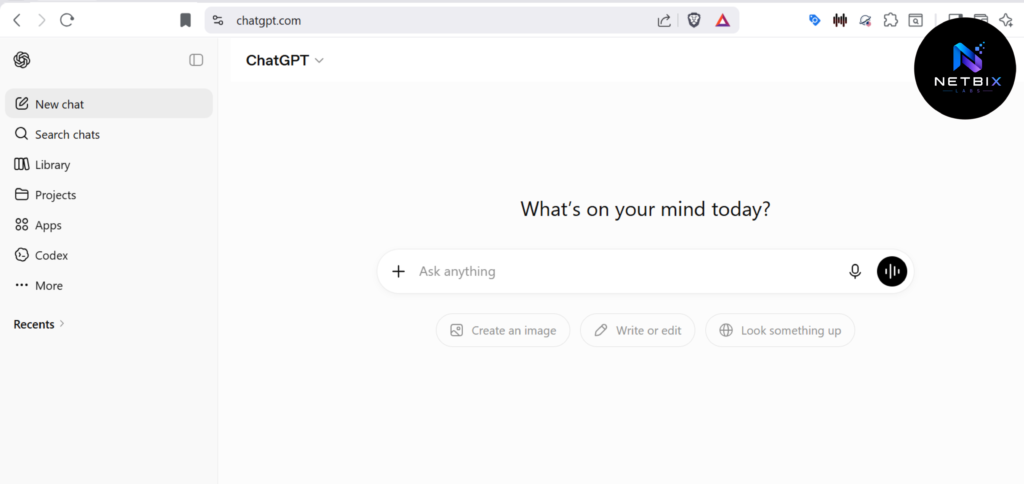
- Go to https://chatgpt.com and sign in to your free account
- Start a new chat and save this prompt structure for reuse — paste it whenever you have a new content idea:
You are a social media copywriter for [Company Name], a [type of business].
Our brand tone is [tone description, e.g., friendly and direct, or
professional and confident].

Given the idea below, write:
1. A caption under 100 words in our brand voice
2. Three relevant hashtags
3. A one-sentence description of what the accompanying image should show

Idea: [insert your product or content idea here]
- Replace the bracketed sections with your business details and the specific idea you’re working on
- Review the output — if the tone feels off, ask ChatGPT directly in the same chat to adjust it: “Make this sound more casual” or “Make this more concise”
- Copy the final caption and hashtags for use later, and keep the image description handy for Step 3
Expected result: A ready-to-use caption, hashtags, and a clear visual direction — produced in under two minutes, replacing what a copywriter would previously have drafted manually.
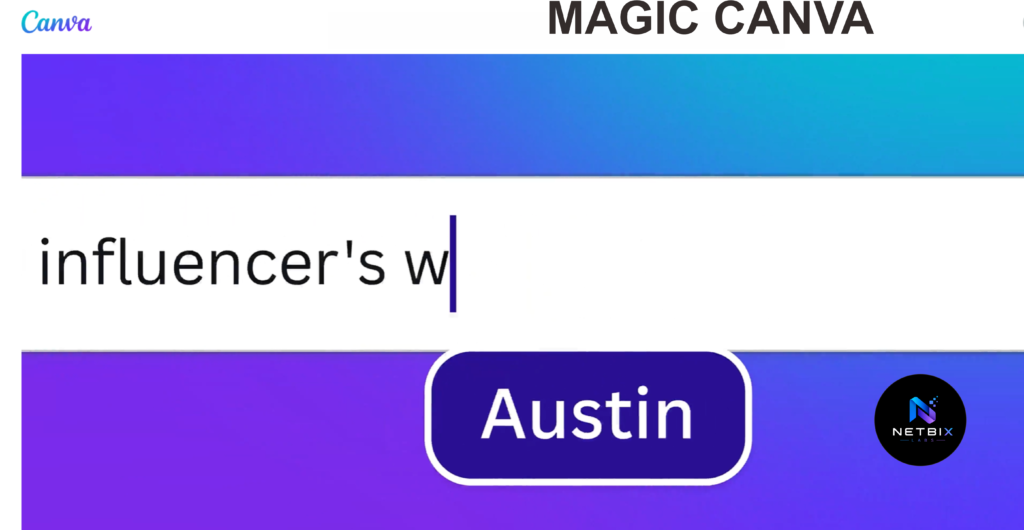
Step 3: Generate the Visual with Canva’s Magic Design
Why it matters: This is the second function being replaced — the designer role. The image description from Step 2 becomes your direct input here, removing the need for a human designer to create routine social graphics from a blank canvas.
What to do:
- Go to https://canva.com and sign in to your free account
- Click Create a design and select your format (e.g., Instagram Post, Instagram Story)
- Look for the Canva AI option in the search and AI bar at the top, or find Magic Design in the left sidebar
- Type a description combining your brand style with the image description from ChatGPT — for example:
[image description from ChatGPT], using a clean modern style
with [your brand colors], minimal text, professional look
- Canva will generate several design options based on your description
- Select the option closest to what you need, then customize it:
- Click on your logo placeholder (or upload your logo via Uploads in the left sidebar) and drag it into the design
- Click on any text element to adjust wording, font, or color to match your brand
- If you’ve set up a Brand Kit (under Canva’s free plan, available with limited storage), apply your saved colors and fonts with one click
- Click Download and select your preferred format (PNG or JPG)
Expected result: A finished, on-brand social graphic generated and customized in under ten minutes — completing two of the three functions in this workflow without hiring a designer.
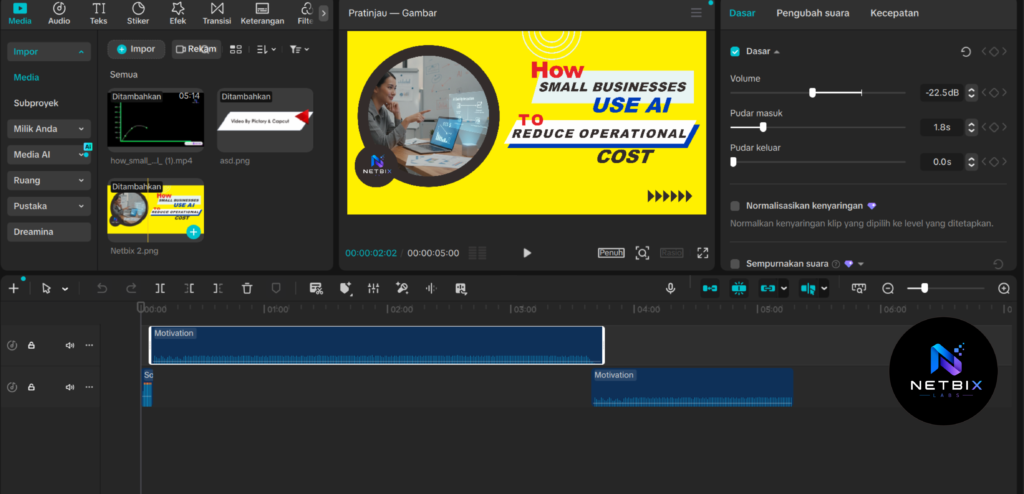
Step 4: Edit Video Content with CapCut
Why it matters: This is the third function being replaced — the video editor role. For any content idea that includes short-form video, CapCut’s AI features handle the editing work that would otherwise require a trained editor and dedicated software.
What to do:
- Go to https://capcut.com and sign in to your free account, or open the CapCut app
- Click New Project and upload your raw video clips
- Use CapCut’s AI features to handle the time-consuming parts of editing:
- Auto Captions: Click Captions in the toolbar, then Auto Captions — CapCut transcribes your video and adds synced captions automatically
- Auto Cut: Use the Smart tools panel to automatically trim silences or remove filler pauses from your footage
- Background Removal: If you’re filming against a plain background, use Effects → AI Background Removal to swap in a branded background image
- Adjust pacing manually by trimming clips on the timeline — this is the one part of editing still worth doing by hand for quality control
- Add your brand colors or a logo watermark using the Text and Stickers tools
- Click Export and select your platform’s recommended resolution (1080×1920 for Reels and TikTok, 1080×1080 for square posts)
Expected result: A captioned, edited short-form video ready to publish — produced without a dedicated video editor, using CapCut’s free AI tools to handle the most time-consuming editing tasks automatically.
Step 5: Run a Parallel Transition Period Before Reducing Headcount
Why it matters: Responsible cost reduction means proving this approach works before changing anyone’s role. Using these tools alongside your existing team — rather than replacing people immediately — protects output quality and gives you real data before making a staffing decision.
What to do:
- Use this three-tool approach in parallel with your current process for at least two to four weeks
- Compare the AI-produced output against what your team would have produced manually — review for quality, brand consistency, and audience response
- Document the time and cost difference using the baseline from Step 1
- Only after this approach proves reliable should you discuss redistributing roles — for example, moving a copywriter into the AI operator role rather than treating the transition as a simple headcount cut
Expected result: A validated, measured business case for restructuring the team — supported by real comparison data rather than an assumption that the AI-produced output is good enough.

Video
Watching how one idea moves from ChatGPT to Canva to CapCut makes this approach far easier to understand than reading about it. The video tutorial below shows the complete process from start to finish — writing a caption and image brief in ChatGPT, generating and customizing a branded graphic in Canva’s Magic Design, and editing a short video with CapCut’s AI captioning and auto-cut tools.
This video is designed for small business owners and marketing leads who want to see exactly how one person can personally cover three functions using nothing but free tools, before deciding how to restructure their team.
How Businesses Use This Approach
Startups
Early-stage startups restructure their marketing function exactly as described in this guide — keeping one person on strategic advertising while an AI operator uses ChatGPT, Canva, and CapCut directly to handle content production, preserving runway without sacrificing content volume.
Agencies
Small agencies apply this same model across multiple client accounts simultaneously. One AI operator can manage content production for several clients using the same three free tools, since switching between brand kits in Canva and prompts in ChatGPT requires no additional cost per client.
Marketing Teams
Larger marketing teams within bigger companies use this approach to reallocate headcount toward strategy and campaign analysis, while routine content production shifts to a single team member using these tools directly — increasing output without increasing the team’s size.
HR Departments
HR teams apply the same “map the function, then use a direct AI tool” framework to their own processes — using ChatGPT to draft onboarding documents and Canva to design internal communications, while keeping interviews and final hiring decisions with people.
Operations Teams
Operations teams identify which administrative functions follow predictable patterns — internal announcements, simple training visuals, process documentation — and apply free AI tools directly to those tasks, reducing the operational overhead of running the business day to day.
Creators and Solopreneurs
Individual creators and solo consultants use this exact three-tool combination — ChatGPT for captions, Canva for graphics, CapCut for video — to maintain a consistent content presence without hiring any support staff at all.
Enterprise Innovation Teams
Larger organizations pilot this same role-mapping and free-tool approach within a single department before considering broader rollout, using the documented results as the business case for expanding AI-driven restructuring elsewhere in the company.
Best Practices
Map functions honestly before picking up any tool. Be specific about which exact tasks within a role are repeatable versus which require judgment. Most roles contain a mix — separate the automatable parts from the parts that should stay human.
Never skip the parallel transition period. Using these tools alongside your existing process for several weeks is what separates a responsible transition from a risky, unvalidated cutover. This protects both output quality and your team’s trust in the process.
Reassign before you reduce. Where possible, move displaced team members into the new AI operator role or toward higher-judgment work like strategy and client relationships, rather than treating every tool adoption as a headcount reduction by default.
Keep a human in the loop for anything public-facing. Even with strong AI-generated output, build in a quick review step before content publishes — especially in the early months — to catch anything off-brand before it reaches your audience.
Set up your Canva Brand Kit once, properly. The quality of every graphic you generate depends on having your logo, fonts, and colors saved and ready to apply with one click. Spend twenty minutes on this setup before relying on Magic Design for ongoing content.
Track cost savings against the original baseline. Use the function mapping from Step 1 as your ongoing comparison point. This is what turns “we use AI tools now” into a documented, defensible cost reduction figure.
Common Mistakes to Avoid
Replacing a role that actually requires judgment. Not every repetitive-looking task is safe to fully hand to AI. A role that looks like “just writing captions” may also involve reading audience sentiment and adjusting tone in ways AI doesn’t reliably catch. Test thoroughly before assuming a function is fully replaceable.
Cutting headcount before the approach is proven. Reducing a team before validating that ChatGPT, Canva, and CapCut produce comparable quality output creates real business risk — inconsistent content, brand damage, and a scramble to rehire if the output underperforms.
Skipping the brand setup step in Canva. Generating graphics without a saved Brand Kit means manually re-adding your logo and colors every single time, which erodes much of the time savings this approach is meant to deliver. Set it up once, correctly.
Treating this as a one-time setup instead of an ongoing skill. Prompt writing, design judgment, and editing taste improve with practice. A workflow built once and never refined will produce noticeably weaker output than one the operator continues to improve over time.
Ignoring the human cost of the transition. Even when handled responsibly, role changes affect real people. Communicate clearly and early with anyone whose role is changing, and be honest about the timeline and reasoning behind the decision.
FAQ
Can AI tools actually replace a full-time marketing role, or just assist it? For specific functions — particularly content writing, templated design, and basic video editing — free AI tools used directly can genuinely take over the bulk of the work, not just assist with it. Roles involving strategic judgment, such as advertising strategy or brand direction, are far less suited to full replacement and are better served by AI assistance rather than substitution.
Is it ethical for a small business to reduce headcount using AI? This depends entirely on how the transition is handled. Running a parallel validation period, communicating transparently with affected employees, and prioritizing redeployment into new roles over abrupt termination are all part of handling this responsibly. Treating AI cost reduction purely as a fast headcount cut, without this care, creates both ethical and reputational risk.
Is this approach really free, or are there hidden costs? ChatGPT, Canva, and CapCut all offer genuinely usable free plans for this exact use case — not stripped-down trials. Canva’s free plan includes Magic Design and a Brand Kit with limited storage; CapCut’s free tier has no meaningful restrictions for small business content volume. Costs only arise if you scale to needs that exceed free-tier limits, such as very high-volume Canva asset storage, at which point upgrading typically costs $10–$15/month per tool.
Which roles should never be fully replaced by AI in a small business? Roles involving high-stakes judgment, complex relationship management, or final brand and quality accountability should remain with people. This includes advertising strategy, client relationship management, executive decision-making, and final review of anything customer-facing — even when AI produces the first draft.
How long should the parallel transition period last before making a staffing decision? Most businesses find two to four weeks sufficient to gather meaningful comparison data, though this can extend longer for more complex or higher-stakes functions. The right length depends on your content volume and how quickly you can gather reliable quality feedback.
What happens to the employees whose roles get automated? The most responsible approach is considering redeployment first — moving a copywriter into the AI operator role, for example, since that position requires brand judgment and prompt-writing skill that an experienced copywriter likely already has. Where redeployment isn’t possible, clear and early communication about timeline and reasoning matters significantly for how the transition is perceived, both internally and externally.
Do I need to learn how to code or use complex software to do this? No. Every tool in this guide — ChatGPT, Canva, and CapCut — is designed for direct, non-technical use. There’s no automation platform, no API key, and no integration step required. You open each tool, use it for its specific purpose, and move the output from one to the next manually.
Alternatives Worth Considering
Adobe Firefly
What it does: Adobe’s AI image generation tool, trained specifically on licensed content for commercial safety, integrated into Adobe’s broader Creative Cloud ecosystem. When it’s better: When your business needs commercially safe AI-generated imagery with stronger legal clarity than general-purpose tools, or when your team already works within Adobe’s software suite. Best for: Businesses with existing Adobe subscriptions or specific commercial-use requirements around image generation rights. Official Website: https://firefly.adobe.com
Predis.ai
What it does: An all-in-one AI tool that generates captions, visuals, and hashtags together in a single platform, specifically built for social media content creation. When it’s better: When you’d rather have one tool handle writing and design together instead of switching between two separate apps, accepting less granular control in exchange for a faster workflow. Best for: Solo operators who want the absolute fastest path from idea to finished post, even if it means less customization than using ChatGPT and Canva separately. Official Website: https://predis.ai
Key Takeaways
- AI for small business cost reduction is most effective when it targets specific, repeatable functions rather than vague, department-wide adoption.
- Some roles — writing, templated design, basic video editing — are realistic candidates for full AI replacement using free tools. Others, especially strategic and relationship-based roles, should remain with people.
- ChatGPT, Canva, and CapCut — used directly, with no automation platform or integration — can together cover the work of a copywriter, designer, and video editor.
- Always validate the approach during a parallel transition period before making any staffing decisions.
- Where possible, redeploy team members into the new AI operator role rather than defaulting to headcount reduction.
- Document time and cost savings against a clear baseline — this is what turns a collection of free tools into a defensible business case.
- Responsible AI-driven cost reduction balances genuine financial impact with fair, transparent treatment of the people affected by the transition.
Conclusion
The honest version of AI cost reduction isn’t about AI quietly making everyone’s job a little easier. It’s about recognizing that certain functions — the repeatable, rule-based parts of a role — can be handled by free, direct-use AI tools well enough that the function no longer requires a dedicated hire.
The five-person marketing team becoming two isn’t a hypothetical. It’s the practical outcome of mapping which tasks are genuinely repeatable, then handing each one to the right free tool — ChatGPT for writing, Canva for design, CapCut for video — and validating that the output holds up before changing anyone’s role.
This requires more care than simply opening a new app. It requires an honest assessment of which functions deserve to stay human, a transition period that protects both quality and people, and a willingness to redeploy talent toward the judgment-driven work that AI genuinely cannot replace.
Small businesses that approach AI cost reduction this way — deliberately, transparently, and function by function, using simple tools rather than complex systems — build leaner operations without the reputational and ethical costs of treating people as the first and only line item to cut.
Map your team’s functions this week. The repeatable ones are where this approach begins.