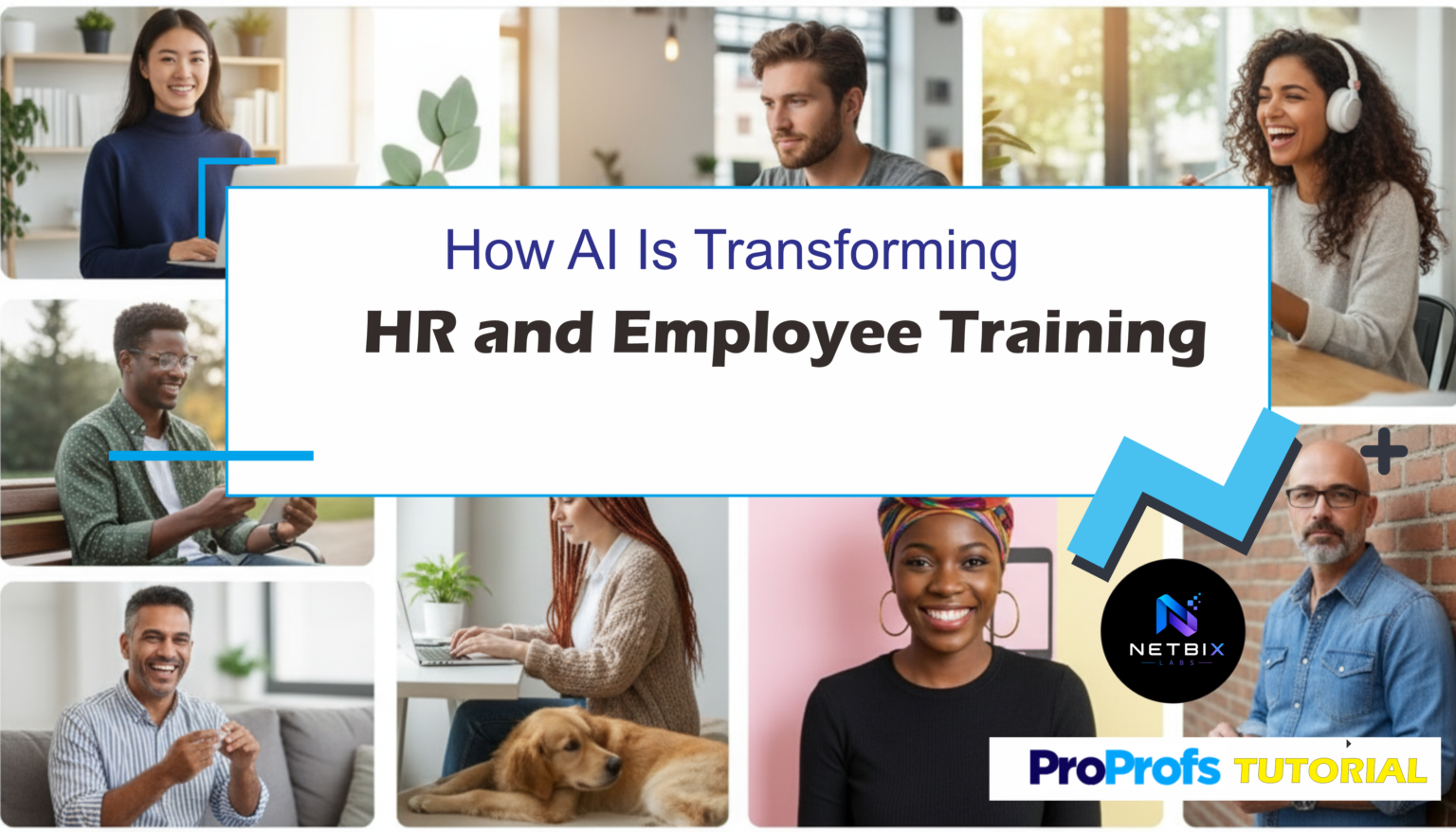
Learn how AI HR tools are transforming employee training and onboarding — a practical guide for HR teams using ProProfs AI to build smarter learning systems.
Introduction
Most HR teams are running the same onboarding process they built three years ago. A packet of documents. A few scheduled meetings. A checklist that lives in someone’s inbox. And a new hire who spends their first two weeks figuring out who to ask for what.
The result is predictable: inconsistent onboarding experiences, slow time-to-productivity, and HR staff spending hours on administrative coordination instead of building the culture and connections that actually make new employees stay.
AI HR tools have changed what’s possible here — not by replacing the human elements of HR, but by automating the parts that don’t require a human. Document delivery, training course creation, knowledge assessment, progress tracking — these are repeatable, structured tasks that AI handles faster and more consistently than a manual process ever could.
This guide is for HR departments, corporate teams, and business professionals who want a practical, honest look at how AI is transforming employee training and onboarding systems — and a step-by-step tutorial for building an AI-powered training workflow using ProProfs Training Maker, one of the most accessible and genuinely free platforms for this use case.
By the end, you’ll understand exactly which parts of your HR and training workflow AI can take over, which parts should stay human, and how to build your first AI-generated training program from scratch.
Quick Summary
- AI HR tools are most impactful when applied to the structured, repeatable parts of employee training and onboarding — not the human relationship elements.
- ProProfs Training Maker offers a free plan with an AI course builder that generates complete training programs from a simple text prompt.
- A full onboarding training course can be built, assigned, and tracked in under two hours using AI — compared to days of manual content creation.
- Works for HR departments, startups, agencies, and any organization that onboards new employees or runs internal training programs.
- The approach scales from a five-person startup to an enterprise team without changing the underlying workflow.
Table of Contents
- What You’ll Learn
- What AI Actually Changes in HR and Employee Training
- Tool Overview: ProProfs Training Maker
- Step-by-Step: Build an AI-Powered Employee Training Program
- Video Tutorial
- How Businesses Use This Tool
- Best Practices
- Common Mistakes to Avoid
- Alternatives Worth Considering
- FAQ
- Key Takeaways
- Conclusion
What You’ll Learn
- Which HR and training tasks are realistic candidates for AI automation — and which should stay human
- How ProProfs Training Maker’s AI course builder works and what it produces
- A step-by-step process for building a complete employee training program using AI prompts
- How to assign training, track completion, and identify knowledge gaps automatically
- Real use cases across HR departments, startups, agencies, and enterprise teams
- What mistakes to avoid when implementing AI into your HR training workflow
What AI Actually Changes in HR and Employee Training
Before getting into tools and tutorials, it’s worth being precise about where AI makes a genuine difference in HR — and where it doesn’t.
You might also like: How to Create Corporate Training Videos with HeyGen AI in 10 Mins
Related guide: How Small Businesses Use AI to Reduce Operational Costs
What AI handles well in HR and training:
- Training content creation — AI can generate a complete course structure, module content, and knowledge assessments from a job role description or a topic prompt, in minutes rather than days
- Onboarding document drafts — AI generates first drafts of onboarding guides, policy summaries, and role-specific checklists that HR reviews and finalizes
- Knowledge assessment — AI creates quizzes and assessments aligned to training content automatically, removing the most time-consuming part of building a learning program
- Progress tracking and reporting — AI-powered dashboards surface who has completed training, who is behind, and where the most common knowledge gaps are — without anyone manually checking spreadsheets
- Answering repetitive HR questions — AI chatbots handle the high-volume, low-complexity questions new hires always ask (Where do I find the leave policy? What’s the IT request process?) without consuming HR staff time
What should stay human:
- Culture and relationship building — the connections new employees form in their first weeks are built through human interaction, not automated content delivery
- Performance feedback and coaching — nuanced assessment of someone’s work, growth, and fit in a team requires human judgment
- Sensitive HR conversations — anything involving performance issues, personal circumstances, or disciplinary matters requires a human on both sides
- Final content review — AI generates strong first drafts of training materials, but HR should always review before content goes live
The most effective AI HR tools augment the structural and administrative side of training and onboarding — freeing HR professionals to invest more time in the parts that require their human judgment, not less.
Tool Overview: ProProfs Training Maker
ProProfs Training Maker is an AI-powered learning management system (LMS) specifically designed for building and delivering employee training programs. Its AI course builder generates complete training courses — including modules, content, and quizzes — from a simple text description of the topic or role.
What makes it the right starting point for HR teams new to AI tools is the combination of a genuinely usable free plan, an interface that requires no instructional design experience, and an AI layer that does the heavy content creation work so HR teams can focus on reviewing and refining rather than writing from scratch.
Key Features:
- AI Course Builder — describe a training topic or paste a job description, and AI generates a complete course structure with module content and a knowledge assessment
- Quiz and Assessment Generator — AI creates multiple-choice, true/false, and open-ended questions aligned to any training content automatically
- Learning Paths — assign role-specific sequences of courses so every new hire follows the right training for their position
- Progress Dashboard — real-time visibility into who has started, who has completed, and who is falling behind — across the entire team
- Completion Certificates — automatically issued when an employee completes a training program, useful for compliance training records
- Branching Scenarios — build decision-tree training experiences where learners navigate real workplace situations, not just read content
- Mobile-friendly — employees can complete training on any device, important for field teams and remote workers
Why HR teams use it:
- AI removes the blank-page problem — you describe the training need, and the course structure already exists within minutes
- Free plan is genuinely functional for small to mid-sized HR teams, not a stripped-down trial
- No instructional design background required to produce professional-looking training content
- Progress tracking eliminates the manual follow-up that consumes significant HR time
Ideal use cases:
- New employee onboarding training programs
- Role-specific skills training
- Compliance and policy training
- Product knowledge courses for customer-facing teams
- Manager development programs
- Annual refresher training
Official Website: https://www.proprofstraining.com Official Documentation: https://www.proprofstraining.com/help/
Step-by-Step: Build an AI-Powered Employee Training Program
This tutorial builds a complete New Employee Onboarding Training Course — the single highest-value starting point for any HR team implementing AI HR tools. The same process applies to any training topic.
Step 1: Define What the Training Must Achieve Before Opening Any Tool
Why it matters: AI generates better training content when given a clear brief. The most common reason AI-generated training courses feel generic is that the person who created them gave the AI a generic prompt. Spending ten minutes defining your learning objectives before starting produces dramatically better output.
What to do: Write down answers to these four questions:
- Who is this training for? (New hires in a specific role, all employees, managers only?)
- What must they be able to do, know, or understand by the end? (Be specific — “understand company values” is too vague; “identify three situations where our values apply and one example of each” is specific)
- What are the three most common mistakes or gaps you see from new employees in this role? (These become your most important training modules)
- Is there a compliance or policy element that must be covered? (If yes, note the specific policy or regulation)
Expected result: A one-paragraph training brief that you’ll paste directly into ProProfs’ AI course builder — giving it enough context to generate relevant, specific content rather than generic workplace training material.
Step 2: Generate Your Training Course with ProProfs AI
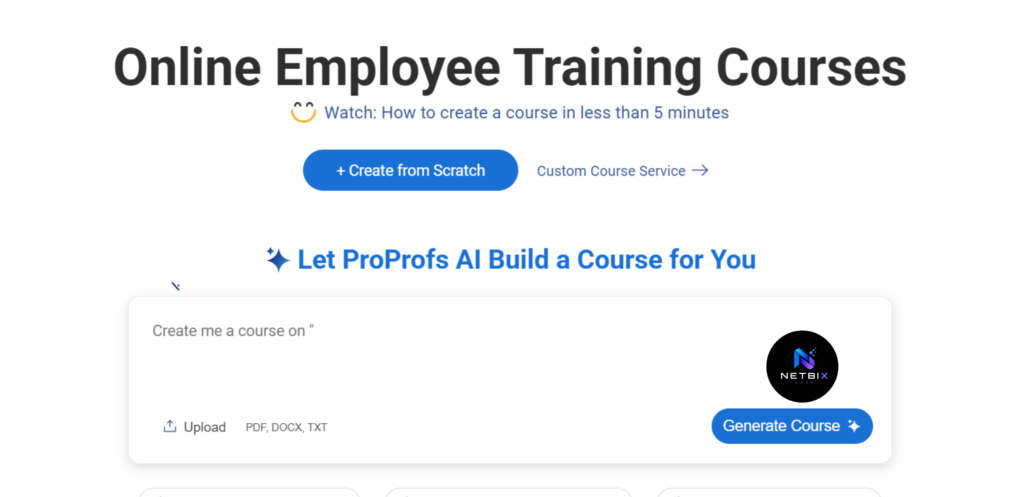
Why it matters: This is where weeks of manual course building compress into minutes. ProProfs’ AI course builder takes your training brief and generates a complete course structure — modules, content, and a draft assessment — that you review and refine rather than write from scratch.
What to do:
Part A — Create your ProProfs account:
- Go to https://www.proprofstraining.com and click Start for Free
- Sign up with your work email — no credit card required for the free plan
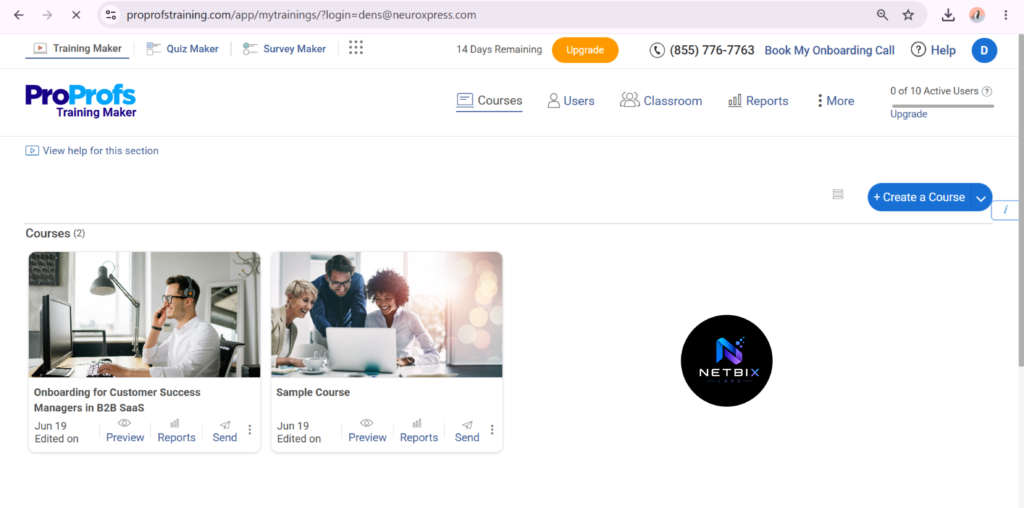
- Once inside the dashboard, click + Create New Course
- Select Create with AI from the options presented
Part B — Generate the course:
- In the AI course builder, paste your training brief from Step 1 into the prompt field
- Add any specific context that will improve the output — for example:
Create an onboarding training course for a new Customer Success Manager
at a B2B SaaS company. By the end, they should understand our customer
lifecycle, know how to handle the three most common escalation scenarios,
and be familiar with our internal CRM workflow.

Focus areas:
- Company overview and values
- Customer lifecycle from trial to renewal
- Escalation handling process
- CRM usage basics
- 30-60-90 day expectations

Include a knowledge check at the end of each module.
- Click Generate and wait 30–60 seconds
- Review the generated course structure — ProProfs will produce a full outline with module titles and an initial content draft for each section
Part C — Review and edit the generated content:
- Click into each module and read through the AI-generated content
- Edit any section where the content is too generic, inaccurate, or doesn’t reflect your company’s specific context
- Add company-specific examples, actual policy details, and real process steps that the AI cannot know without your input — this is the essential human layer that makes AI-generated training genuinely useful
- Delete any modules that aren’t relevant to your specific onboarding need
Expected result: A complete, structured onboarding training course with content for each module and an auto-generated knowledge check — ready for review, not ready to publish yet. The AI handles the structure and first draft; your HR knowledge handles the accuracy and specificity.
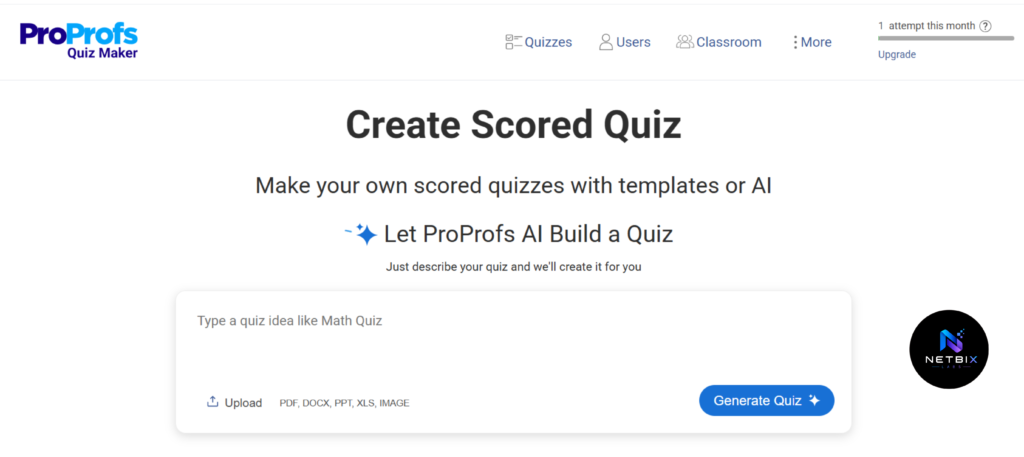
Step 3: Build the Knowledge Assessment
Why it matters: Training without assessment is content delivery, not learning. A knowledge assessment at the end of the course confirms that employees actually absorbed the material — and surfaces who needs additional support before they’re working independently. For compliance training, assessments also serve as documented proof of completion.
What to do:
Part A — Generate the assessment using AI:
- Inside your course, click Add Quiz at the end of the course or at the end of each module
- Click Generate Questions with AI
- In the prompt field, type:
Generate 10 multiple-choice questions based on the content of this
onboarding course. Include questions about company values, the customer
lifecycle, escalation handling, and CRM basics. Make the questions
practical — focused on what the employee would do in a real situation,
not just definitions.
- Review the generated questions — ProProfs will produce questions with four answer options each, with the correct answer already marked
Part B — Customize the assessment settings:
- Set a passing score — 80% is standard for onboarding assessments; 100% is appropriate for safety or compliance-critical training
- Enable answer feedback — so employees understand why a wrong answer was incorrect, turning the assessment itself into a learning moment
- Set retake rules — decide whether employees can retake immediately or must wait, and how many attempts are allowed
- Enable completion certificate — this auto-generates a certificate when an employee passes, useful for compliance records
Expected result: A ten-question knowledge assessment that tests practical application of the training content, with passing score set, feedback configured, and automatic certificate issuance ready — built in under fifteen minutes.
Step 4: Assign Training and Set Up Progress Tracking
Why it matters: A training course that exists but hasn’t been assigned to anyone is a content library, not an onboarding system. This step connects the course to your actual new hires, sets completion deadlines, and activates the progress tracking that removes the need for manual follow-up.
What to do:
Part A — Create a Learning Path for the role:
- In ProProfs, go to Learning Paths in the left sidebar
- Click Create Learning Path
- Name it by role — for example: Customer Success Manager Onboarding
- Add your newly created onboarding course to the path
- Add any additional courses that should follow — for example, a product knowledge course, a CRM training module, or a company culture course
- Set the sequence so each course unlocks after the previous one is completed
Part B — Assign the Learning Path to new hires:
- Go to Users and click Add User — enter the new hire’s name and work email
- Select the Learning Path you just created and assign it to the new hire
- Set a completion deadline — typically the end of the first 30 days for core onboarding training
- ProProfs will send the new hire an automatic email with their login credentials and a direct link to their assigned training
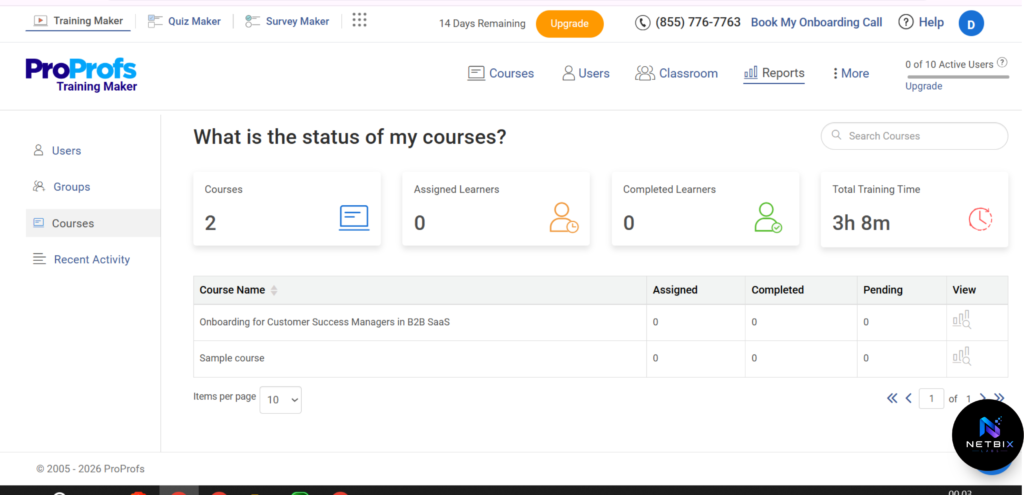
Part C — Set up progress monitoring:
- Go to Reports in the left sidebar
- Select Learner Progress Report
- You’ll see a live dashboard showing every assigned employee, their completion percentage, quiz scores, and time spent in each module
- Set up a weekly email report — go to Settings → Reports → Scheduled Reports and configure a Monday morning summary delivered to your HR inbox
Expected result: Every new hire receives automatic training assignment with a deadline on day one. HR receives a weekly progress report without manually checking anything. The entire follow-up process — who has completed training, who is behind, who failed the assessment — is visible in one dashboard without any manual tracking.
Step 5: Use AI to Build Role-Specific Training Variants
Why it matters: A single generic onboarding course serves no one particularly well. With AI course generation, building role-specific variants — a separate course for sales, one for operations, one for customer support — takes the same thirty minutes as the first one, rather than weeks of additional content creation. This is where AI HR tools scale in a way manual processes simply cannot.
What to do:
- Return to Create New Course → Create with AI
- Use the same framework from Step 1 but with the specific role, responsibilities, and knowledge requirements for the next position
- Generate, review, edit for specificity, and add to the relevant Learning Path
- Repeat for each role that has distinct onboarding training needs
For ongoing employee training beyond onboarding — compliance refreshers, skills development, product updates — the same process applies: brief, generate, review, assign, track.
Expected result: A library of role-specific training programs, each built in under two hours, covering every position in your organization — something that would have taken months of manual content creation using traditional methods.
Tutorial Video
Seeing how an AI course builder generates complete training materials from a single prompt, and how the progress dashboard tracks employee completion in real time, is much easier to understand when viewed in action. The video tutorial below walks through the entire process—from creating a training brief and generating course content with AI, to customizing materials for your organization, building assessments, assigning training to employees, and monitoring progress through an automated dashboard.
Designed for HR managers, People Operations teams, and business leaders, this tutorial provides a practical look at how an AI-powered employee training system can be implemented from start to finish, helping organizations streamline onboarding and employee development with greater efficiency.
How Businesses Use This Tool
Startups
Early-stage startups use ProProfs Training Maker to build a consistent onboarding experience before they have a dedicated HR team. Founders generate a company overview, values, and role-specific training course in a single afternoon — ensuring every new hire gets the same foundation regardless of who is doing the onboarding.
Agencies
Digital agencies use AI-generated training to onboard new account managers, designers, and developers on internal processes, client expectations, and tool usage. The ability to build role-specific courses quickly means new team members are productive faster, with less time from senior staff spent on manual handholding.
Marketing Teams
Marketing teams build product knowledge courses for new team members — covering positioning, buyer personas, competitive landscape, and messaging guidelines — so everyone from content writers to paid media managers has the same foundational understanding before starting client work.
HR Departments
HR teams use ProProfs as their primary AI onboarding system, replacing manually compiled onboarding packets with structured digital courses that new hires complete at their own pace, with HR only stepping in for questions that require human judgment.
Operations Teams
Operations teams build process training courses for recurring workflows — how to handle a supplier dispute, how to process an internal request, how to escalate an operational issue — so institutional knowledge is documented and accessible to everyone, not just the team member who’s been there the longest.
Enterprise Teams
Large organizations use ProProfs to standardize training across departments and locations — ensuring a new hire in a regional office receives the same quality onboarding as someone starting at headquarters, without HR physically present at every location.
Creators and Consultants
Independent L&D consultants and HR consultants use ProProfs to build and deliver training programs for client organizations — using AI course generation to reduce the time spent on content creation and focus their expertise on quality review, customization, and facilitation.
Best Practices
Write a specific training brief before using the AI builder. The quality of AI-generated training content is directly proportional to the quality of the input. A vague prompt produces generic content. A specific brief — including role, learning objectives, and known knowledge gaps — produces training that actually addresses your team’s real needs.
Always add company-specific content to AI-generated courses. AI generates a strong structure and general content, but it cannot know your company’s specific policies, processes, tools, or culture. Every AI-generated course needs a human edit pass to add the specifics that make it genuinely useful for your new hires.
Set a passing score that reflects the stakes of the training. General onboarding training — 80% passing score. Safety or compliance-critical training — 100%. The passing score should reflect the real-world consequences of someone not fully understanding the material.
Use Learning Paths instead of assigning individual courses. Sequencing training through a Learning Path ensures employees complete foundational material before moving to advanced content, and gives HR a single assignment action that covers the entire onboarding curriculum rather than managing individual course assignments.
Review the progress dashboard weekly, not daily. Daily monitoring creates anxiety and micro-management. Weekly review gives you enough visibility to intervene when someone is genuinely falling behind, without treating normal variation in learning pace as a problem.
Build refresher training into your annual HR calendar. AI makes it easy to update and redistribute training annually — particularly for compliance, policy changes, and product updates. Schedule a quarterly review of your training library and update any course where the content has changed.
Common Mistakes to Avoid
Publishing AI-generated content without reviewing it. AI content is a starting point, not a finished product. Publishing a course that contains inaccuracies about your company’s actual processes or policies damages both the training’s credibility and the new hire’s confidence. Always review before assigning.
Building one course for all roles. Generic onboarding training that tries to cover every role simultaneously ends up being relevant to none of them. AI makes role-specific course creation fast enough that there’s no reason to force everyone through the same generic content.
Setting no deadline for training completion. Without a deadline, training completion rates drop significantly. New hires prioritize work they’re immediately accountable for — training with no due date moves to the bottom of the list. Set a specific completion deadline at the time of assignment.
Ignoring the assessment data. The knowledge assessment produces data about where employees are struggling — specific questions that most people answer incorrectly reveal knowledge gaps in the training itself, not just in the learner. Review assessment performance data after each cohort completes training and update the course content accordingly.
Treating AI onboarding as a replacement for human connection. AI-powered training handles the content delivery and knowledge verification parts of onboarding. It does not replace the manager check-ins, peer introductions, and cultural integration that determine whether a new employee actually thrives in the role. Use AI to free up HR time for these human elements, not to eliminate them.
FAQ
What are AI HR tools and how do they differ from traditional HR software? AI HR tools use artificial intelligence to automate specific HR tasks — generating training content, answering employee questions, tracking learning progress, and identifying knowledge gaps — rather than requiring manual input for each of these functions. Traditional HR software typically requires HR staff to build every element manually; AI tools generate structure and content automatically from a prompt or description.
Can AI really create useful employee training content, or is it too generic? AI generates strong structural foundations and general content for training programs in minutes. The output becomes genuinely useful when HR reviews the generated content and adds company-specific information — actual policies, real process steps, specific examples from the business. The combination of AI structure and human specificity produces better training content faster than either approach alone.
Is ProProfs Training Maker really free to use? ProProfs offers a free plan that includes AI course creation, quizzes, and basic learner tracking — sufficient for HR teams getting started with AI-powered training. Paid plans unlock advanced features like custom branding, SCORM export, detailed analytics, and higher learner volumes. Most small to mid-sized HR teams can run their full training program on the free plan before needing to upgrade.
How long does it take to build an onboarding training course using AI? From opening the AI course builder to having a complete, reviewed course ready to assign — including the knowledge assessment — most HR professionals complete their first course in two to three hours. This includes the time spent reviewing and editing the AI-generated content for company-specific accuracy.
Can AI training tools replace a Learning and Development team? For large organizations with complex, high-stakes training needs — leadership development, technical skills training, regulatory compliance — dedicated L&D professionals remain essential. AI tools like ProProfs accelerate and scale the content creation and delivery side of training; they don’t replace the strategic, instructional design, and facilitation expertise that experienced L&D professionals provide. For smaller organizations without a dedicated L&D function, AI training tools make a meaningful level of structured training achievable without that specialized resource.
How do I ensure employees actually complete their assigned training? Set a specific completion deadline at the time of assignment. Configure automatic reminder emails through ProProfs’ notification settings. Make training completion a visible part of the new hire’s first 30 days with a clear expectation communicated by their manager on day one. Review the progress dashboard weekly and follow up personally with anyone more than five days behind their completion deadline.
Is the data from employee training assessments secure? ProProfs maintains standard security practices for learner data including encrypted data storage and access controls. For enterprise organizations with specific data residency or compliance requirements, review ProProfs’ security documentation and confirm it meets your organization’s standards before storing sensitive employee training records on the platform.
Alternatives Worth Considering
TalentLMS
What it does: A full-featured learning management system with AI-assisted course creation, gamification, and extensive reporting — designed for organizations running ongoing employee training programs at scale. When it’s better: When your organization needs a more robust LMS with advanced customization, deeper analytics, and enterprise integrations beyond what ProProfs’ free plan supports — particularly for organizations running compliance training across hundreds of employees. Best for: Mid-to-large HR teams managing complex, multi-track training programs with compliance reporting requirements. Official Website: https://www.talentlms.com
Notion AI for HR Documentation
What it does: AI writing assistance inside Notion’s workspace — useful for drafting onboarding guides, policy documents, and HR wikis rather than building structured training courses with assessments and tracking. When it’s better: When your HR training need is primarily documentation-based — creating written guides, SOPs, and reference materials — rather than interactive course delivery with knowledge assessment and completion tracking. Best for: Small teams that need to document and share HR knowledge without the structure of a formal LMS. Official Website: https://notion.so
Key Takeaways
- AI HR tools deliver the most value when applied to the structured, administrative side of employee training — content creation, assessment building, progress tracking — not the human relationship elements of HR.
- ProProfs Training Maker’s AI course builder generates a complete training course from a text brief in under sixty seconds, reducing the primary barrier to building role-specific onboarding programs from weeks to hours.
- The quality of AI-generated training content depends entirely on the quality of the brief you provide — specific learning objectives and known knowledge gaps produce far better output than generic topic descriptions.
- Always review and edit AI-generated content for company-specific accuracy before assigning to employees — the AI provides structure and general content; HR provides the specifics that make training actually useful.
- Learning Paths, completion deadlines, and weekly progress monitoring are what turn a training course into a functional onboarding system rather than an optional content library.
- AI onboarding tools free HR time for the human elements of onboarding — relationship building, culture integration, and personal support — that actually determine whether new employees thrive.
Conclusion
The HR teams getting the most from AI aren’t the ones that have handed their onboarding process entirely to technology. They’re the ones that identified exactly which parts of employee training were consuming the most time for the least return — content creation, assessment building, progress tracking, follow-up coordination — and let AI take those over.
What’s left is more valuable. The manager who has time for a genuine first-week check-in because they didn’t spend three hours compiling an onboarding document. The HR professional who can focus on the new hire who’s clearly struggling culturally, because the training dashboard tells them who is behind without any manual investigation.
AI HR tools like ProProfs Training Maker make a level of structured, role-specific, trackable employee training achievable for any organization — not just the ones with dedicated L&D departments and multi-year training budgets. A meaningful onboarding training course, built in an afternoon, assigned automatically, and tracked without any manual follow-up, is now a realistic starting point for any HR team willing to spend two hours on setup.
Build your first course this week. The time your HR team gets back from manual training administration starts from the moment the first new hire opens their assignment.