Tag: Ai Image Tools Agencies

Ai Image Tools Agencies

What “ai image tools agencies” means

The phrase ai image tools agencies refers to digital agencies, creative studios, and marketing teams that adopt and integrate AI-powered image tools into their services and workflows. These tools include generative image models (like image synthesis and style transfer), automated image editors (background removal, upscaling, color correction), and platform APIs that enable rapid production of visuals at scale. For agencies, these capabilities unlock faster creative iterations, personalized assets, and cost-effective production pipelines.

Why AI image tools matter for agencies

Agencies operate under tight deadlines and high client expectations. AI image tools deliver value by:

  • Speed: Generate concept art, ad variations, or mockups in minutes rather than days.
  • Scale: Produce hundreds of image variants for A/B testing, localization, and personalization.
  • Cost-efficiency: Reduce manual retouching and outsourcing for routine image tasks.
  • Creativity boost: Explore new styles, combinations, and visual ideas using generative models.
  • Integration: Connect image generation to automation and agent workflows for repeatable, auditable pipelines.

Key applications for agencies

Agencies use AI image tools across the creative lifecycle. Common applications include:

  • Ad creative generation: Quickly generate multiple visual concepts and sizes for campaigns, optimizing for CTR and conversions.
  • Social content & thumbnails: Produce platform-specific visuals for Instagram, TikTok, YouTube, and paid channels.
  • Product imagery & e-commerce: Create mockups, remove backgrounds, upscale images and produce lifestyle renders for catalog listings.
  • Brand exploration and moodboards: Use generative tools to explore visual directions before committing resources to photo shoots.
  • Localization and personalization: Automatically adapt imagery by region, language, or user segment to increase relevance.
  • Video stills and motion assets: Extract, enhance and generate stills or animated frames for short-form video campaigns.

Concrete examples—tools and platforms agencies use

Practical familiarity with specific tools is essential. Here are several widely used AI image platforms and how agencies typically apply them:

  • Stable Diffusion (Stability AI / DreamStudio): Open-source and extensible; agencies fine-tune models for branded styles and run batch generation for campaign variants.
  • DALL·E / OpenAI Image API: Rapid concept generation and image editing (inpainting/outpainting) that agencies use for storyboards and ad mockups.
  • Midjourney: Popular for stylized concept art and mood exploration; used by creative teams to pitch visual directions.
  • Adobe Firefly / Creative Cloud Generative Fill: Integrated into established design workflows, ideal for production-ready edits and brand-safe image generation.
  • Canva (Teams with Generative AI): Simplifies template-driven social assets and allows non-designers in agencies to produce consistent visuals fast.
  • Runway: Offers image and video generative tools and ControlNet-style capabilities; agencies use it for both stills and short-form video assets.
  • Remove.bg, ClipDrop, Topaz Labs: Specialized tools for background removal, upscaling, denoising and retouching that speed post-production.
  • Hugging Face & custom APIs: Host custom models or pipelines for agencies that need proprietary visuals or to enforce brand constraints.

Real-world use case examples

  • Paid ads scale: An agency uses Stable Diffusion to generate 200 ad variations with different colors, props, and models; analytics choose top performers.
  • E-commerce imagery: Combine remove.bg + upscaling to create white-background product photos for hundreds of SKUs without costly photoshoots.
  • Localized campaigns: Use generative image tools to swap signage, landmarks, and models to suit different markets—dramatically reducing studio time.
  • Creative prototyping: Rapidly deliver multiple moodboard options using Midjourney or Adobe Firefly for client review before photo production.

How agencies integrate AI image tools into workflows

Integration isn’t just about generating images; it’s about connecting tools to workflows. Agencies often combine AI image tools with automation, agents, and analytics to create efficient pipelines:

  • Automation: Use scriptable APIs and platforms to automate batch generation, resizing, and asset exports—linking to broader processes in AI Automation.
  • AI agents and orchestration: Employ AI agents to manage multi-step tasks—e.g., generate variants, run quality checks, and route assets to designers for approval. See related approaches in AI Agents.
  • Design systems & brand control: Integrate tools into the agency’s design library and asset management to keep brand consistency, tying into AI Design.
  • Productivity & collaboration: Use collaborative platforms and AI productivity tools to reduce review cycles and centralize feedback—refer to AI Productivity.

Best practices, legal and ethical considerations

Success with ai image tools agencies requires safeguards:

  • Prompt engineering and version control: Document prompts, model versions, and seed parameters to reproduce assets.
  • Human review: Maintain a human-in-the-loop for quality, brand alignment, and to catch hallucinations or inappropriate outputs.
  • Rights and licensing: Check model and dataset licenses—some outputs may have restrictions. Use commercial-friendly models or paid APIs when required.
  • Bias and representation: Audit generated content for fairness and cultural sensitivity.
  • Security: Control access to proprietary prompts, fine-tuned models, and client data — connect to guidelines in AI Security.

Related tags and further reading

For agencies exploring adjacent capabilities, check related resources:

Getting started—checklist for agencies

  • Audit your current creative bottlenecks (concepting, resizing, retouching).
  • Identify one repeatable task to pilot with an AI image tool (e.g., background removal, ad variation generation).
  • Select tools that match your needs: rapid prototyping (Midjourney/DALL·E), production edits (Adobe Firefly/Topaz), or custom models (Stable Diffusion/Hugging Face).
  • Establish prompt/version logging, licensing checks, and human review steps.
  • Measure results and iterate—track creative performance with analytics to prove ROI.

Conclusion

ai image tools agencies is more than a buzz phrase—it’s a practical shift in how creative work is produced. When agencies combine powerful image models, reliable editing tools, and integrated automation, they can deliver more personalized, faster, and cost-effective visual campaigns. Start small, prioritize governance and quality control, and scale successful pilots into repeatable pipelines that connect to broader AI capabilities like AI for Business, AI Video, and the automation and agent patterns described above.

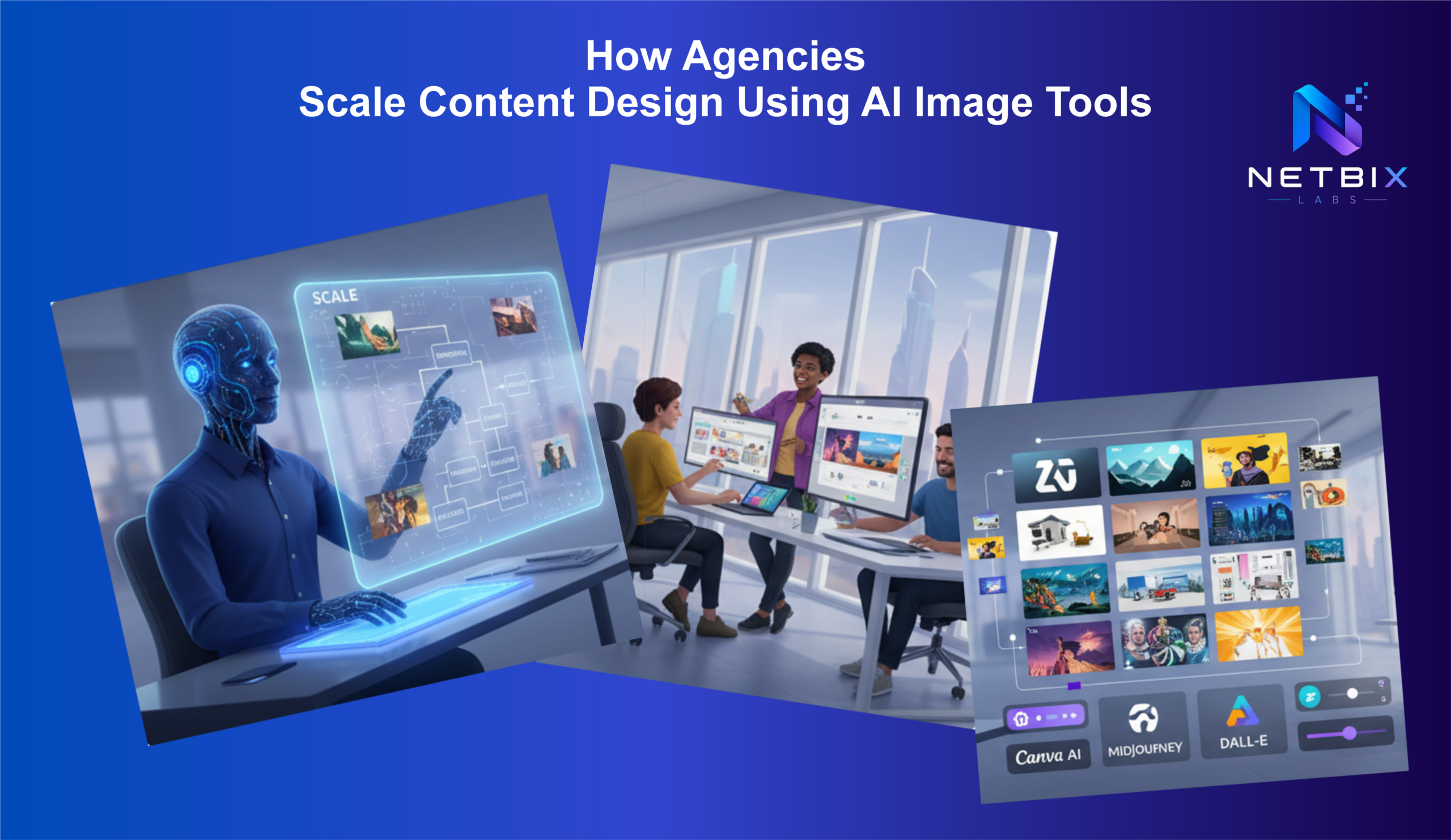
How Agencies Scale Content Design Using AI Image Tools

Discover how agencies use AI content design tools to automate creative workflows,…

Iqbal