Tag: Google Notebooklm

Google Notebooklm

What is Google NotebookLM?

Google NotebookLM is Google’s experimental, document-centric AI assistant designed to read, synthesize, and answer questions from your personal and business documents. Instead of treating an AI like a generic chatbot, NotebookLM is optimized to operate on a corpus of uploaded files—PDFs, Docs, slides, spreadsheets and web clippings—so you can ask targeted questions and get concise, context-aware answers backed by the specific content you provided. In short, it transforms scattered documents into a searchable, interactive knowledge base powered by large language models.

Why Google NotebookLM matters for business

Contextual knowledge retrieval: Businesses often struggle to get fast, accurate answers from internal documents. NotebookLM reduces the friction of manual searching by synthesizing insights across multiple files and producing actionable summaries.

Key benefits:

  • Time savings: Quickly generate summaries, action items, and briefs from long reports or meeting minutes.
  • Consistency: Maintain a single source of truth by querying the same uploaded corpus, reducing conflicting interpretations.
  • Scalability: Empower non-experts to extract legal, technical, or domain-specific insights without relying on a specialist every time.
  • Onboarding & knowledge transfer: New hires can get up to speed faster by asking NotebookLM to summarize training documents and policies.

Core capabilities and typical workflows

NotebookLM is built to support practical document workflows rather than free-form conversational use alone. Typical capabilities include:

  • Document ingestion: Upload PDFs, Google Docs, slide decks, and other files to create a searchable knowledge base.
  • Context-aware Q&A: Ask nuanced questions that reference specific sections and get answers grounded in the source material.
  • Summarization & synthesis: Produce executive summaries, key takeaways, and comparison tables from multiple documents.
  • Action-item extraction: Parse meeting notes or project documentation into prioritized next steps.
  • Study aids: Generate study guides, flashcards, and glossaries from training manuals or research papers.

Practical business applications — concrete examples

1. Product management and specs analysis

Scenario: A product manager uploads competing product spec sheets, customer feedback reports, and a roadmap PDF.

  • Ask NotebookLM: “Summarize the top three differentiators across competitor A and competitor B and suggest three feature priorities for our Q4 roadmap.”
  • Output: A concise prioritized list of features, rationale referencing document excerpts, and suggested metrics to track.

2. Legal and compliance review

Scenario: A legal team needs fast, initial triage of multiple contracts.

  • Ask NotebookLM: “List all termination clauses, renewal terms, and any unusual indemnity language across these five contracts.”
  • Output: Highlighted clause excerpts with document links and a short risk summary for each contract.

3. Customer support knowledge base

Scenario: Support teams upload product manuals, troubleshooting guides, and past ticket transcripts.

  • Ask NotebookLM: “What are the three fastest ways to resolve network timeout errors reported in our v2.1 product?”
  • Output: Step-by-step troubleshooting, supporting excerpts from manuals, and suggested canned responses for agents.

4. Research and market intelligence

Scenario: Market researchers upload industry reports, analyst notes, and survey results.

  • Ask NotebookLM: “Summarize key market trends for enterprise AI tools in 2025 and list any contradictory findings.”
  • Output: A synthesized trend list, confidence indicators, and citations to the precise paragraphs where findings came from.

5. Learning & onboarding

Scenario: HR uploads onboarding docs, training modules, and role-specific playbooks.

  • Ask NotebookLM: “Create a one-week onboarding checklist for a junior sales representative, including required reading and practice tasks.”
  • Output: A day-by-day plan, links to documents, and short quizzes or flashcards generated from the material.

Integration opportunities and real-world tools

NotebookLM works best when combined with existing productivity platforms many companies already use:

  • Google Drive & Docs: Seamless ingestion of Docs and Drive files reduces upload friction and maintains version context.
  • Slide decks & reports: Summarize slide content into talking points for presentations or investor updates.
  • Collaboration tools: Export answers and summaries back into shared documents or Slack channels to streamline team workflows.

Complementary platforms and alternatives include Notion AI, MS Copilot in Microsoft 365, and specialized knowledge-management tools. For video-related workflows, teams combining Google AI video tools with NotebookLM can generate transcripts and then import those transcripts to ask precise questions about meeting content or demos.

How NotebookLM fits into broader AI strategies

NotebookLM is most powerful when embedded in a broader AI-enabled business stack:

  • Pair with AI Agents to build automated assistants that act on NotebookLM answers—e.g., scheduling follow-ups or drafting emails.
  • Combine with AI Automation to create end-to-end pipelines: extract data from invoices and then trigger workflows or alerts based on NotebookLM extractions.
  • Use alongside AI Builders tooling to prototype custom knowledge apps that query NotebookLM outputs and integrate them into internal dashboards or CRMs.

Getting started: simple adoption steps

  • Collect: Aggregate the most important documents—product specs, contracts, manuals, and meeting recordings (transcribed).
  • Upload: Add them into NotebookLM as a new notebook or knowledge set.
  • Query: Start with broad questions to surface key themes, then drill down with follow-ups for specifics and action items.
  • Integrate: Export summaries into shared Docs or connect outputs to automation pipelines; iterate on prompts to refine specificity.

Limitations and best practices

While NotebookLM is powerful, keep a few considerations in mind:

  • Source quality matters: The accuracy of answers depends on the clarity and completeness of uploaded documents.
  • Verification: Always validate high-stakes legal, financial, or regulatory conclusions with a subject matter expert.
  • Privacy and access controls: Ensure documents with sensitive data are handled according to company policies and permissions.

Further learning and resources

For practical how-tos and tips, check out tutorials and guides such as the notebooklm tutorial. If you use Google’s broader AI toolset, you may also find related content on Google Veo 3 tutorial and the tag for Google AI video tools helpful when integrating multimedia sources.

Conclusion

Google NotebookLM is a practical step toward making organizational knowledge more accessible and actionable. By consolidating disparate documents into an AI-powered notebook, businesses can accelerate research, improve onboarding, streamline support, and make better-informed decisions. When combined with AI agents, automation pipelines, and builder tools, NotebookLM becomes a central piece of an enterprise AI strategy—turning static files into an active knowledge asset.

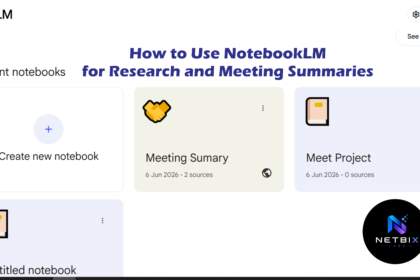
How to Use NotebookLM for Research and Meeting Summaries

Learn how to use NotebookLM as an AI research assistant and meeting…

Iqbal