Tag: Internal Documentation Ai

Internal Documentation Ai

What is “internal documentation AI”?

Internal documentation AI refers to the use of artificial intelligence technologies to create, organize, search, summarize, and maintain an organization’s internal knowledge—such as SOPs, onboarding guides, engineering docs, policy files, and customer-facing internal support content. Instead of manual file searches and static FAQs, AI-powered systems provide semantic search, automated summarization, question-answering, and proactive content suggestions that make internal documentation instantly usable and continuously up to date.

Core components

  • Embeddings & semantic search: convert documents into vectors so employees can search by meaning, not exact keywords.
  • Retrieval-Augmented Generation (RAG): fetches relevant passages from a knowledge base and produces precise, context-aware answers.
  • Summarization & abstraction: auto-generate executive summaries, release notes, or shortened SOPs.
  • Automated ingestion & sync: tools that keep docs current by ingesting updates from code repositories, ticket systems, and wiki edits.
  • Access controls & auditing: security and compliance layers that control who can query or modify sensitive documentation.

Why internal documentation AI matters

Organizations waste time and money when employees search multiple systems or rely on outdated docs. AI transforms documentation from a static repository into a living, searchable knowledge system that supports faster onboarding, fewer support tickets, improved cross-team collaboration, and better compliance. Implemented correctly, it increases productivity and reduces the cognitive load on employees by delivering contextually relevant answers in natural language.

These outcomes directly tie into broader business initiatives such as digital transformation and operational efficiency—areas covered in our AI for Business and AI Productivity categories.

Applications and concrete examples

Below are common use cases and real-world examples of tools and platforms used for internal documentation AI:

  • Intelligent search and Q&A: A customer support rep asks Slack/Teams a question and receives a short, sourced answer from Confluence or Notion AI that cites policy paragraphs. Example tools: Notion AI, Atlassian Intelligence, (see search-related topics).
  • Developer documentation augmentation: Auto-generate READMEs, API examples, and code comments from repository contents using GitHub Copilot, Sourcegraph Cody, or custom pipelines built with LangChain and LlamaIndex. These reduce ramp-up time for new engineers.
  • RAG-based internal assistant: Build a private Q&A assistant using OpenAI/Anthropic + a vector DB (Pinecone, Weaviate, Milvus) and LlamaIndex/LangChain to answer compliance/HR queries with sources attached.
  • Automated content updates: Use AI Agents and automation to flag stale pages, propose edits, and create changelog summaries—integrating with ticketing systems like Jira for review. See related posts in AI Automation and AI Agents.
  • Training & onboarding microdocs: Convert long manuals into short explainer sequences and video scripts; optionally produce demo videos via AI video tools to accompany the docs. For AI-generated video explanations, check AI Video.

Toolchain examples (real-world)

  • Notion AI & Confluence (document authoring, AI suggestions)
  • OpenAI + Pinecone or Weaviate + LlamaIndex/LangChain (custom RAG pipelines)
  • GitHub Copilot & Sourcegraph (code documentation generation)
  • Haystack (open-source search & RAG for enterprise knowledge)
  • Pinecone, Milvus, Weaviate (vector databases for embeddings)

Best practices for implementing internal documentation AI

To get value and avoid pitfalls, follow these best practices:

  • Data audit first: Map where documentation lives (wikis, repos, ticketing systems, video libraries) and classify sensitivity.
  • Human-in-the-loop: Keep humans validating model outputs; require source citations for answers and flag uncertain responses.
  • Access control & logging: Integrate with your identity provider and audit queries for compliance—this ties into our AI Security coverage.
  • Continuous indexing & freshness: Automate ingestion pipelines so the knowledge base reflects the latest changes from Git, CMS, and internal tickets.
  • Measure impact: Track metrics such as time-to-first-answer, support ticket deflection, ramp time for new hires, and search success rate.

Challenges and how to mitigate them

AI-powered documentation is powerful but not without risks:

  • Hallucinations: Use RAG to ground answers in source documents and show citations.
  • Data leakage: Restrict model access and avoid sending sensitive PII to external APIs unless encrypted and permitted.
  • Stale or contradictory content: Implement automated stale-content alerts and periodic human reviews.
  • Cost & performance: Vector DBs and large models incur costs—optimize embedding sizes and caching for frequent queries.

Implementation roadmap (quick)

  • 1. Audit: Inventory docs and tag by type/sensitivity.
  • 2. Pilot: Choose a small business area (e.g., onboarding or support FAQs) and implement a RAG assistant using OpenAI + Pinecone + LlamaIndex.
  • 3. Integrate: Expose the assistant in Slack/Teams and embed semantic search in Confluence/Notion.
  • 4. Govern: Add logging, access controls, and review workflows.
  • 5. Scale: Expand to more repositories, add agents to automate doc maintenance, and integrate analytics dashboards to track ROI. Consider resources in AI Analytics Dashboard for measurement tips.

Concrete use-case scenarios

  • Onboarding: New hires ask a chat assistant for “how to set up dev environment” and get a step-by-step, versioned answer with links to the repo and common pitfalls.
  • Support deflection: AI answers internal queries and reduces Tier-1 tickets by surfacing exact policy paragraphs and KB entries.
  • Compliance: Legal teams query a searchable archive of policy changes and automatically receive summarized reports and audit trails.
  • Developer productivity: Engineers get auto-generated API examples and migration guides, cutting troubleshooting time.
  • Knowledge continuity: AI agents monitor changes and create changelog summaries so institutional knowledge survives employee turnover. For automation-focused agents, see ai agents automation and ai agents workflow.

Related tools and tags

If you’re exploring vendors or partner tools, consider both off-the-shelf platforms (Notion AI, Confluence, GitBook) and modular stacks (OpenAI/Anthropic for models, Pinecone/Weaviate/Milvus for vectors, LlamaIndex/LangChain/Haystack for orchestration). Agencies building customized documentation systems often combine several components—see agency ai tools for vendor comparisons.

Conclusion

Internal documentation AI is no longer experimental—it’s a practical lever to make knowledge accessible, searchable, and actionable. By combining semantic search, RAG, vector databases, and careful governance, organizations can dramatically improve onboarding, reduce support costs, and keep policies up to date. Whether you’re building a pilot with open-source components or adopting an enterprise product, align the project with security, measurement, and human review to get long-term value. For help designing workflows and automation around documentation, explore our content on AI Agents, AI Builders, and AI Automation.

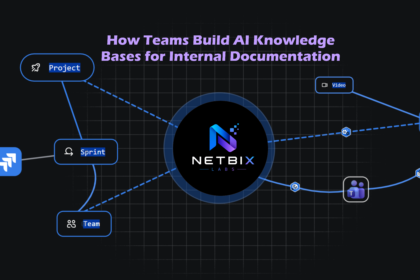
How Teams Build AI Knowledge Bases for Internal Documentation

Learn how corporate teams use AI knowledge bases to streamline internal documentation,…

Iqbal