Learn how to create demo videos using Veo 3 with this step-by-step tutorial for businesses, startups, and marketing teams.
Introduction
Creating professional product videos traditionally requires expensive production teams, editing software, actors, voiceovers, motion graphics, and long revision cycles. For startups, HR departments, agencies, and corporate marketing teams, that process often becomes too slow and too costly.
That’s where modern text-to-video AI platforms are changing the workflow.
With tools like Google Veo 3, businesses can generate high-quality AI product demo videos from simple prompts, dramatically reducing production time while improving scalability for marketing campaigns, onboarding materials, social content, and internal communication.
This Veo 3 tutorial will show you how to create an AI product demo video from start to finish, including prompt creation, scene planning, workflow optimization, visual consistency, editing strategies, and business deployment.
Whether you’re building:
- SaaS product showcases
- HR onboarding videos
- AI marketing videos
- Product launch campaigns
- Internal training media
- Startup explainer content
…this guide will help you build a professional AI-powered video workflow using modern prompt video generation techniques.
Quick Summary
- Veo 3 enables businesses to generate cinematic AI videos from text prompts.
- AI product demo videos reduce production costs and turnaround time.
- Strong prompts dramatically improve video quality.
- Businesses can use Veo 3 for marketing, onboarding, training, and product showcases.
- Human review remains essential for branding and consistency.
- The best workflows combine AI generation with lightweight editing.
Table of Contents
- What You’ll Learn
- What Is Veo 3?
- Why Businesses Are Using AI Product Demo Videos
- Setting Up Your AI Video Workflow
- How to Generate Product Demo Videos Using Veo 3
- Prompt Engineering for Better AI Marketing Videos
- Tutorial Video
- Editing and Refining Your AI Product Showcase
- How Businesses Use This Tool
- Best Practices
- Common Mistakes to Avoid
- Alternatives to Veo 3
- FAQ
- Key Takeaways
- Related Guides
What You’ll Learn
By the end of this tutorial, you’ll understand how to:
- Create professional AI product demo videos
- Structure prompts for cinematic results
- Improve consistency across scenes
- Build scalable AI marketing video workflows
- Use prompt video generation effectively
- Create product showcase AI content for business use
- Combine AI-generated footage with editing tools
- Optimize videos for social media and enterprise presentations
What Is Veo 3?
Google Veo 3 is an advanced text-to-video AI model designed to generate cinematic video clips from natural language prompts.
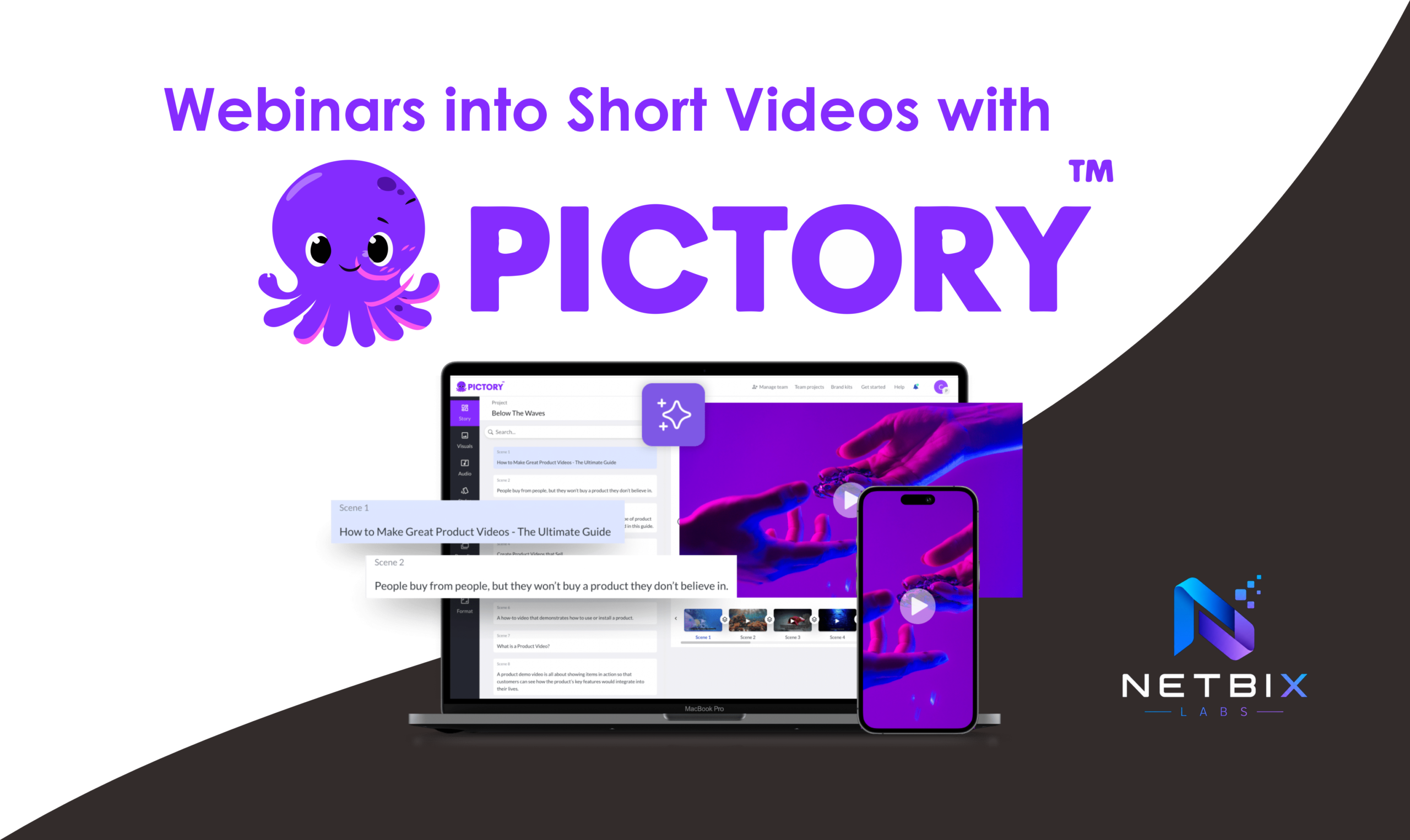
You might also like: How Businesses Repurpose Webinars into Short Videos with Pictory AI
Related guide: How to Create Corporate Training Videos with HeyGen AI in 10 Mins
Businesses use Veo 3 to:
- Create AI marketing videos
- Produce product demos faster
- Generate branded social content
- Build internal communication assets
- Accelerate creative production pipelines
Key capabilities include:
- High-quality cinematic rendering
- Natural motion generation
- Scene consistency
- Advanced camera movement simulation
- Realistic lighting and environments
- Prompt-driven storytelling
Why Businesses Use Veo 3
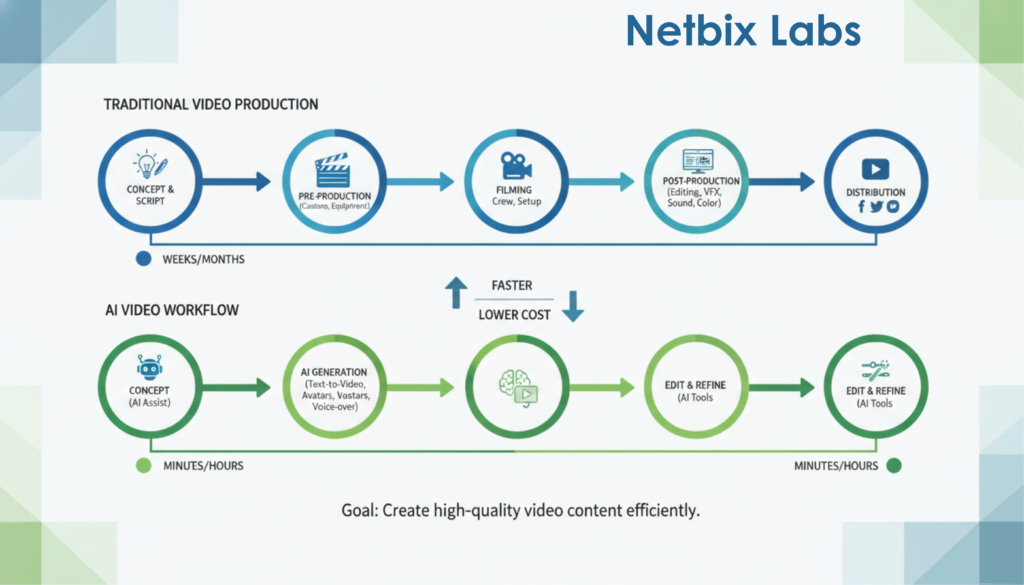
Traditional video production bottlenecks include:
- High production costs
- Slow iteration cycles
- Creative resource limitations
- Editing overhead
- Scheduling issues
AI video generation helps businesses:
- Launch campaigns faster
- Test multiple creatives rapidly
- Scale content production
- Reduce dependency on large production teams
- Improve experimentation velocity
Ideal Use Cases
- SaaS demos
- HR onboarding videos
- Product launch teasers
- Ecommerce showcases
- Corporate explainers
- Startup pitch videos
- AI-enhanced social ads
Official Resources
Official Website:
Google DeepMind Veo
Official Documentation:
Google AI Studio
Why AI Product Demo Videos Matter
Modern audiences consume visual content faster than written content.
For businesses, this creates pressure to:
- Produce more content
- Maintain visual quality
- Publish consistently
- Personalize messaging
AI-generated demo videos help solve these challenges.
Instead of spending weeks producing a short product video, teams can now generate multiple visual concepts in hours.
This is especially useful for:
- Rapid product launches
- MVP marketing
- Investor presentations
- Customer onboarding
- Internal operations training
Setting Up Your AI Video Workflow
Before generating your first AI product demo video, create a structured workflow.
Step 1: Define the Business Goal
Why This Matters
AI videos become far more effective when tied to a clear business objective.
What To Do
Determine whether the video is intended for:
- Product marketing
- Customer onboarding
- HR training
- Internal communication
- Social advertising
- Investor presentations
Expected Result
You’ll create prompts with stronger direction and clearer messaging.
Step 2: Build a Scene Structure
Why This Matters
AI tools perform better with organized scene descriptions.
What To Do
Break your video into sections:
- Hook
- Product introduction
- Problem statement
- Product solution
- Feature demonstration
- CTA
Expected Result
More coherent video generation with improved storytelling.
How to Generate Product Demo Videos Using Veo 3
Step 1: Create Your Prompt Framework
Why This Matters
Prompt quality directly affects video realism, pacing, consistency, and cinematic style.
What To Do
Use structured prompts containing:
- Subject
- Environment
- Camera movement
- Lighting
- Style
- Mood
- Motion details
- Product focus
Example Prompt
“Cinematic commercial for a premium mineral water. A fit and muscular man in his 30s is intensely working out in a modern, gritty gym, lifting weights with sweat glistening on his skin. Fast-paced cuts, dramatic overhead lighting, and dynamic camera movements. The video transitions to a sleek, crystal-clear glass bottle of mineral water standing on a concrete pedestal with water droplets on the bottle surface and a subtle glow around it. High contrast, professional color grading, 4k resolution.”
Expected Result
More visually coherent AI-generated footage.
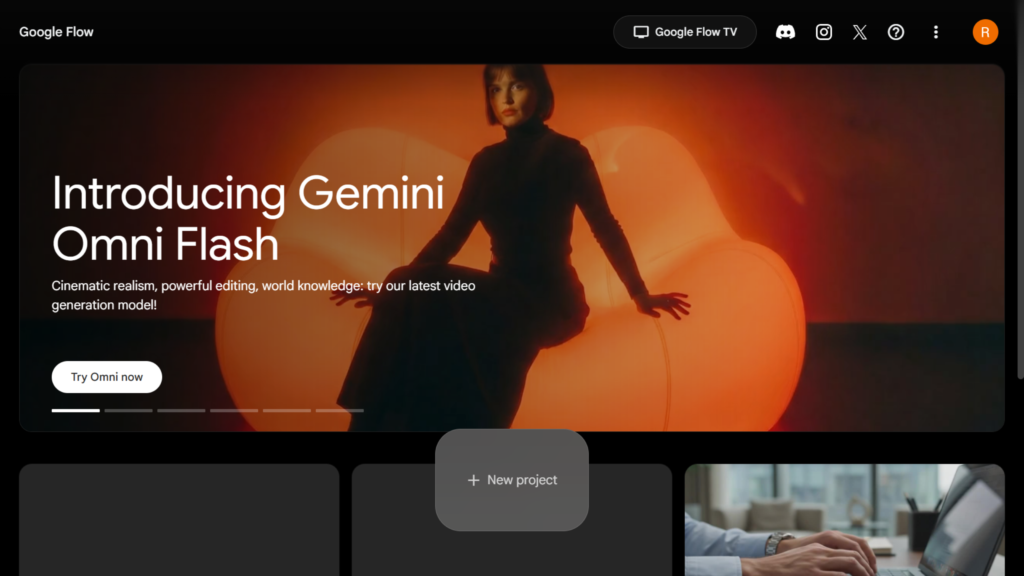
Visit Official veo 3 via Google Flow Click Here
Step 2: Generate Multiple Variations
Why This Matters
AI video generation is iterative.
Businesses rarely use the first generated result.
What To Do
Generate:
- Different camera angles
- Alternative lighting styles
- Multiple pacing variations
- Different environments
- CTA scene variations
Step 3: Improve Visual Consistency
Why This Matters
One of the biggest challenges in AI marketing video production is maintaining consistent branding and product appearance.
What To Do
Keep prompts consistent across scenes:
- Same product wording
- Same environment description
- Similar lighting conditions
- Consistent camera language
Expected Result
A more professional and believable AI product demo video.
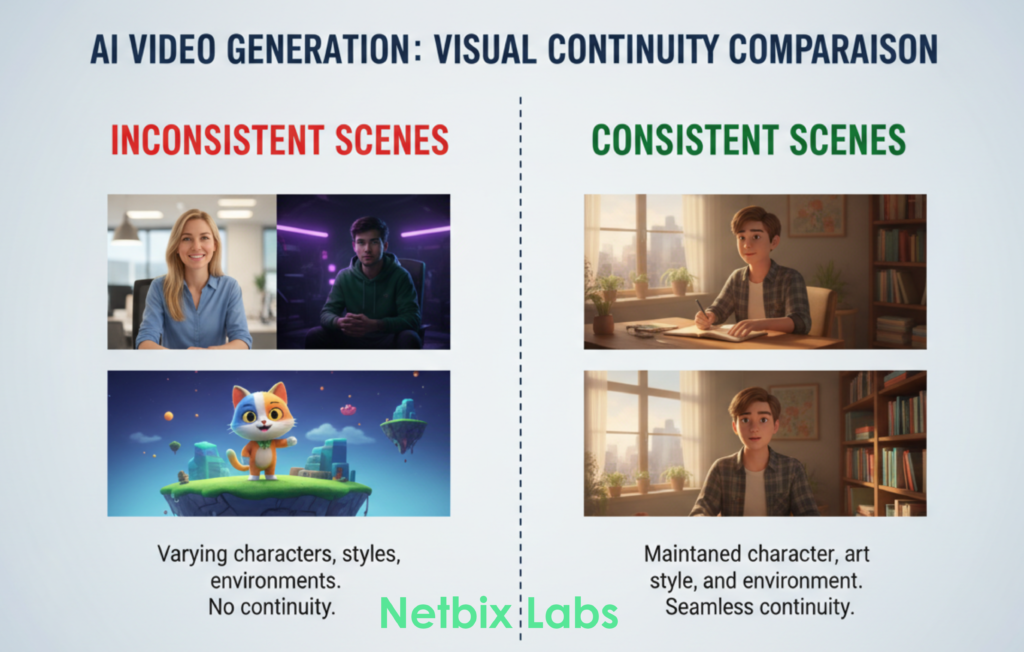
Since the free version of Veo 3 only provides you with an 8-second video duration, if you want to create a video longer than 20 seconds, you must generate it at least 3 times. Therefore, you need to create prompts to keep your video results consistent. Here is an example of the prompts:
Video 1: Character Introduction & Problem (Busy Activity)
Goal: Showing an active man who needs extra stamina.
Prompt:
Cinematic commercial of a confident man in his early 30s working productively in a modern office, typing on a laptop, looking focused but starting to feel a bit tired. The camera smoothly tracks his movement. High-end office interior with soft window light, professional color grading, realistic and clean aesthetic.
Video 2: Solution (Consuming the Supplement)
Goal: Showing the man’s interaction with your product.
Prompt:
Close-up shot of the same man in his early 30s from the previous scene, now in a bright modern kitchen. He picks up the premium supplement bottle attached in the reference image from a clean countertop, opens it, and pours a glass of water. Sharp focus on his confident expression, warm and cinematic lighting.
Video 3: Result/Effect & Product Hero Shot
Goal: Showing the energy transformation and featuring your product as the main star (Hero Shot).
Prompt:
Dynamic shot of the same man walking confidently down a city street, looking revitalized, energetic, and full of stamina. The scene then transitions to a dramatic hero shot of the supplement bottle from the reference image standing on a sleek black marble pedestal with professional studio lighting and a subtle glow. High-end commercial style, 4k.
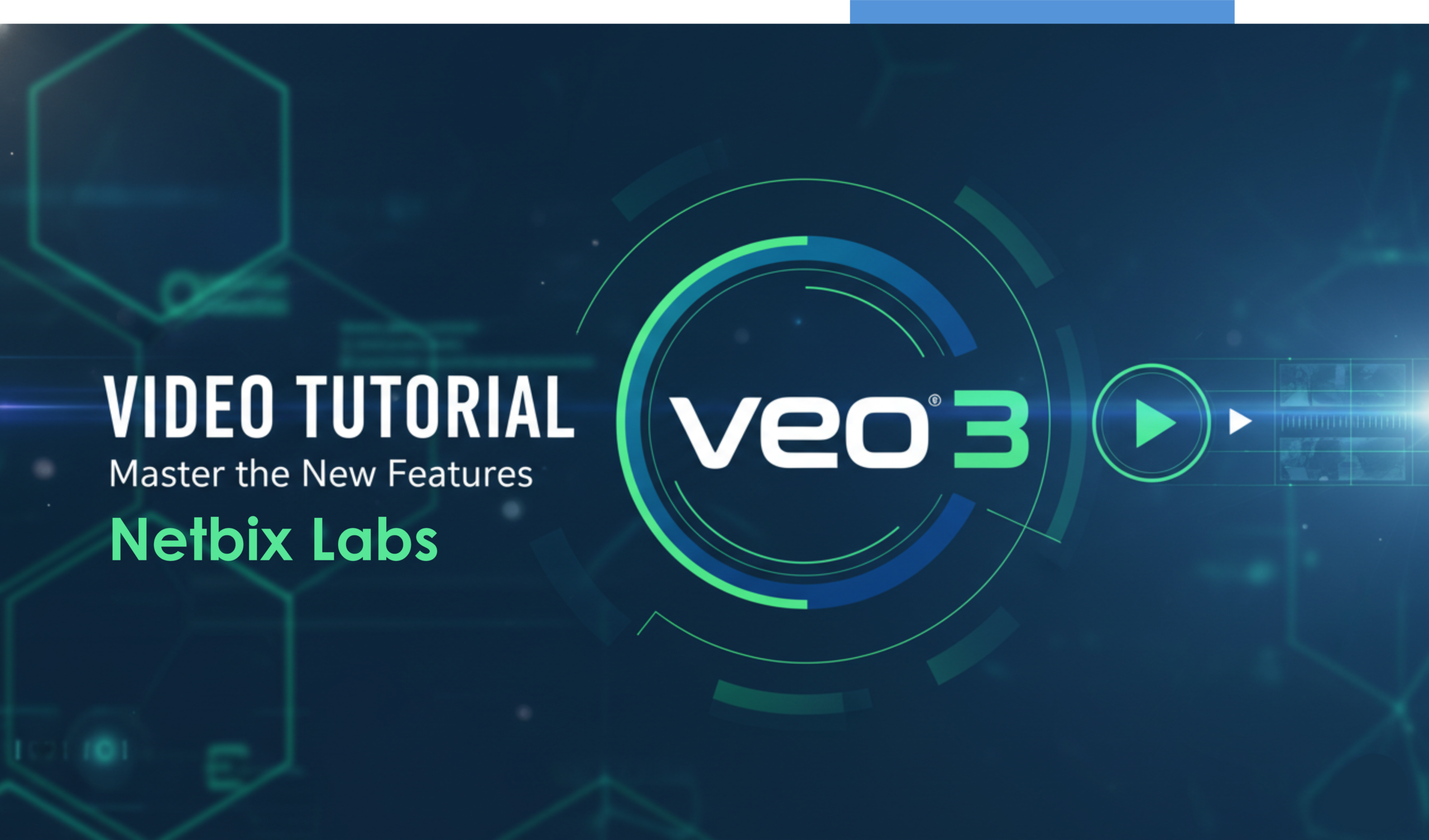
Video Tutorial: Generate Product Demo Videos Using Google Veo 3
To make it easier for you to follow this tutorial, you can watch the short video we have created for you. Please follow the steps provided in the video.
Step 5: Add Human Editing
Why This Matters
AI-generated videos still benefit from human refinement.
What To Do
Use editing tools to:
- Add branding
- Insert logos
- Improve transitions
- Add subtitles
- Sync voiceover
- Adjust pacing
Recommended editing platforms:
- Adobe Premiere Pro
- DaVinci Resolve
- CapCut
Expected Result
A polished AI marketing video ready for business deployment.
Step 6: Export for Distribution
Why This Matters
Different platforms require different export formats.
What To Do
Optimize exports for:
- YouTube
- Instagram Reels
- TikTok
- Internal LMS systems
- Sales presentations
Prompt Engineering Tips for Better AI Marketing Videos
Use Cinematic Language
Instead of:
“A product on a desk”
Use:
“A cinematic product showcase with dramatic side lighting, shallow depth of field, smooth slider movement, premium studio environment.”
Include Camera Directions
Helpful phrases:
- aerial shot
- dolly zoom
- close-up
- cinematic tracking shot
- handheld realism
- wide-angle composition
Define Lighting Clearly
Examples:
- soft ambient lighting
- neon reflections
- warm golden hour sunlight
- studio spotlighting
Specify Emotional Tone
Examples:
- futuristic
- premium
- trustworthy
- innovative
- minimalist
- enterprise-grade
How Businesses Use This Tool
Startups
Startups use AI product demo videos to:
- Launch MVPs quickly
- Create investor pitch assets
- Produce social ads affordably
Agencies
Marketing agencies use Veo 3 to:
- Scale client content production
- Test multiple creative directions
- Reduce turnaround time
Marketing Teams
Corporate marketing departments use AI marketing videos for:
- Product announcements
- LinkedIn campaigns
- Webinar promotions
- Event marketing
HR Teams
HR departments use AI-generated videos for:
- Employee onboarding
- Internal communication
- Recruitment campaigns
- Training modules
Operations Teams
Operations teams use AI video workflows for:
- SOP explanations
- Internal process tutorials
- Compliance education
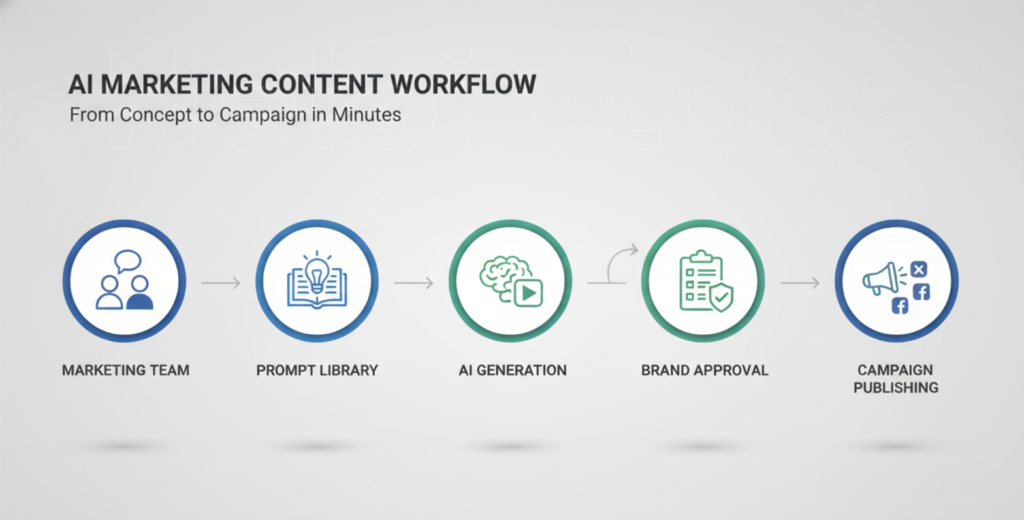
Enterprise Workflows
Large organizations integrate AI video generation into:
- Brand content pipelines
- Localization workflows
- Multilingual campaigns
- Customer education systems
Best Practices
Keep Prompts Modular
Create reusable prompt templates for:
- Lighting
- Camera motion
- Product framing
- Brand tone
Generate Short Clips First
Short iterations improve efficiency before producing longer sequences.
Use Human QA
Always review:
- Product accuracy
- Text rendering
- Brand consistency
- Motion realism
Create a Prompt Library
Store successful prompts internally for team reuse.
Combine AI With Real Assets
Hybrid workflows often produce the best commercial results.
Common Mistakes to Avoid
Overloading Prompts
Too many instructions can reduce consistency.
Ignoring Brand Identity
AI-generated content should still follow company brand guidelines.
Using Long Unstructured Prompts
Structured prompts usually perform better.
Expecting Perfect Output Immediately
AI video workflows are iterative by nature.
Skipping Editing
Raw AI output rarely performs as well as refined content.
Alternatives to Veo 3
Runway
Best for:
- Creative cinematic workflows
- Fast experimental video generation
Ideal users:
- Creators
- Agencies
- Social content teams
Official Website:
Runway
Pika Labs
Best for:
- Stylized AI animations
- Creative social media content
Ideal users:
- Content creators
- Startup marketers
Official Website:
Pika Labs
Synthesia
Best for:
- Corporate training videos
- AI avatar presentations
Ideal users:
- HR teams
- Enterprise onboarding teams
Official Website:
Synthesia
HeyGen AI
Best for:
- AI spokesperson videos
- Create Corporate Training Video
- Multilingual business content
Ideal users:
- Sales teams
- Global companies
Official Website:
HeyGen
FAQ
What is Veo 3 used for?
Veo 3 is used for generating cinematic AI videos from text prompts, including product demos, AI marketing videos, and enterprise content workflows.
Can businesses use Veo 3 for commercial projects?
Yes. Businesses use AI video generation for marketing, onboarding, internal communication, and promotional campaigns.
How do I improve AI video quality?
Use structured prompts with clear descriptions for:
- lighting
- camera movement
- environment
- pacing
- emotional tone
Is Veo 3 beginner-friendly?
Yes. Beginners can create effective AI product demo videos using prompt-based workflows, though advanced prompting improves results significantly.
What industries benefit most from AI product showcase workflows?
Industries including SaaS, ecommerce, HR tech, education, marketing, and enterprise software benefit heavily from AI video automation.
Do AI-generated videos still require editing?
Usually yes. Human editing improves branding, pacing, subtitles, transitions, and overall production quality.
Key Takeaways
- Veo 3 helps businesses create AI product demo videos faster.
- Structured prompts dramatically improve output quality.
- AI marketing video workflows reduce production overhead.
- Human editing remains important for professional results.
- Prompt video generation works best with iterative refinement.
- AI-generated product showcases are becoming standard in modern marketing operations.
Conclusion
As AI video generation continues to evolve, tools like Google Veo 3 are transforming how businesses create visual content at scale.
For startups, corporate teams, HR departments, and modern marketing organizations, AI product demo video workflows offer a faster and more scalable alternative to traditional production pipelines.
The biggest advantage is not just automation — it’s creative velocity.
Teams can test ideas faster, iterate campaigns rapidly, and produce professional AI marketing videos without relying on large production infrastructure.
If you want to stay competitive in modern digital marketing, learning how to use text-to-video AI tools effectively is quickly becoming an essential business skill.